
ALTERNATIVES
VEED Alternatives for Browser Video Editing and Captions
Compare VEED alternatives for browser Video Editing and Captions. Check caption edits, timeline control and export.
On this page
The short version
| Option | Useful starting task | Check separately |
|---|---|---|
| MasterSelects · AI-assisted project | Local timeline, compositing and node effects | Desktop browser, GPU, codecs and project storage |
| Canva · established software | Design-led social video and captions | Template assets, brand features and output terms |
| Microsoft Clipchamp · established software | Browser/Windows editing and recording | Selected assets, output resolution and account |
An AI-built option
1 projectEstablished options to compare
Canva
A design-led browser video editor with templates, a layered timeline and caption styling.
Compare brand layouts, the selected media assets and the final social format.
Visit official site
Microsoft Clipchamp
A browser and Windows editor with recording, stock assets, subtitles and voiceover tools.
Consider a straightforward edit-and-export workflow; check assets and output settings.
Visit official site MasterSelectsVEED
Follow one small deliverable through the workflow
01Choose between effects work and design-led video.
02Check the desktop browser, GPU and media format.
03Keep both the editable project and the rendered file.
Try one workflow before switching
Use a clip with speech and a visible timing cue. Correct the captions, trim around the cue and inspect the exported result for timing and output restrictions.
Use one short deliverable to compare editors
Choose a small video with the pieces you actually use: two clips, a title, speech, captions and the required aspect ratio. Current VEED comparison results mix timeline editors, transcript tools and generators. Keep the primary task clear. MasterSelects is an option for direct timeline and effects work; Canva and Clipchamp document caption and browser-editing workflows of their own.
Choose how much control you want over the image
MasterSelects connects multitrack editing to a node-based effects workspace. The official screenshot shows connected effects and live node previews; it is not a template gallery or a measured render test. The current README recommends Chrome or Edge on desktop. Check your browser, GPU and source media before planning a workflow around it, especially if the team mainly edits on phones.
A caption workflow includes correction and review
Compare the spoken words, line breaks, timing and the person who checks the final captions. Canva documents caption generation and styling alongside design-led video, while Clipchamp documents its subtitle generator and recording tools. A product listing an AI feature does not establish accuracy for your language or a complete dubbing workflow. This review did not upload a speech clip or measure transcription accuracy.
Keep the edit and check the exported file
MasterSelects documents folder, browser-storage and optional Native Helper paths for editable projects. Keep the media those projects refer to; a saved project and a rendered video serve different purposes. For hosted editors, check the output resolution, watermark, asset license and AI-credit rules on the current plan. No VEED project importer or cross-product export benchmark was verified.
How to use this comparison
Run the same small workflow in your shortlisted products: keep the input, output and required integration the same. The table records documented scope; it does not report a side-by-side product test.
A few more details
Is local video rendering the same as offline AI generation?
No. MasterSelects separates local editing/rendering from hosted AI and generation services. The latter use external services and may require credits.
Are all of these apps AI-built?
Only entries with an original maker record carry that attribution. Established products are listed separately and are not assigned an AI-build label.
Sources & maker notes
The AI-build attribution applies only to products with a linked maker record. Other options use the publisher’s current product documentation; prices and plans should be checked at the source.
Related guides & projects
View allCapCut Alternatives for Short Video Editing
Compare CapCut alternatives for short Video Editing. Check device support, captions and exported files.
Read moreSoftware Alternatives by Product
Start with a product you use and compare replacement workflows, supported tasks and what you would need to migrate.
Read moreDesign and Content App Examples
Choose a focused tool for visual assets, recording, editing or publishing.
Read more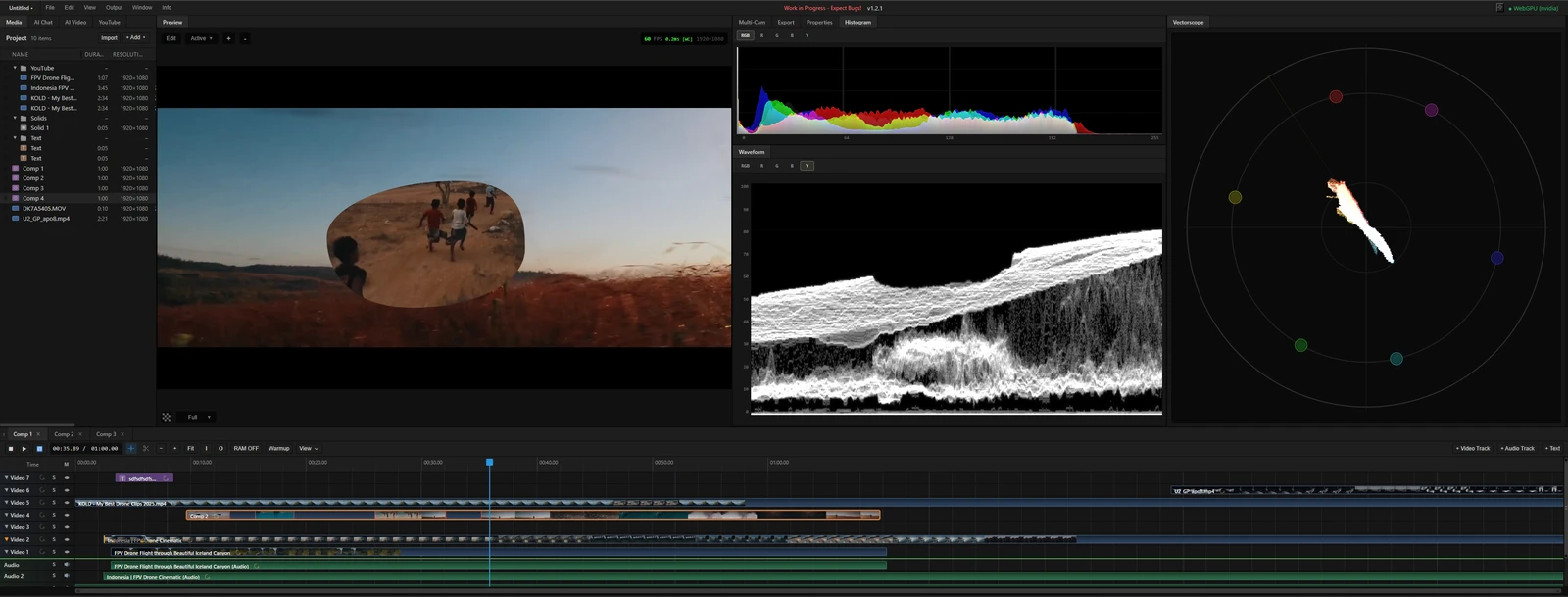 From the maker
MasterSelects
A desktop-browser media editor with a multitrack timeline, node effects and local WebGPU rendering.
ClaudeMasterSelects vs VEED
Choose the editing work you need: a local timeline and effects graph, a shared caption workflow or a straightforward browser edit. Compare MasterSelects, Canva and Microsoft Clipchamp around the same short deliverable.
Read moreHow vibeforthat Reviews Sources
Understand the difference between a discovery lead, a maker build record and an independently tested product.
Read more