ALTERNATIVES
CapCut Alternatives for Short Video Editing
Compare CapCut alternatives for short Video Editing. Check device support, captions and exported files.
On this page
The short version
| Option | Task to compare | Check separately |
|---|---|---|
| FilmCraft · AI-assisted alpha | Desktop timeline, colour and caption tracks | Alpha gaps, hardware and delivery codecs |
| MasterSelects · AI-assisted project | Desktop-browser timeline and node effects | GPU/browser needs and project persistence |
| VN Video Editor · established software | Phone-friendly short-video editing | Required captions, device and output settings |
| Microsoft Clipchamp · established software | A managed browser/Windows edit | Media assets, account and export terms |
An AI-built option
2 projectsEstablished options to compare

VN Video Editor
A phone-friendly video-editing route with a multitrack timeline, text and caption tools.
Compare the exact device, caption corrections and export settings for a short social video.
Visit official site
Microsoft Clipchamp
A managed browser and Windows editing route with recording, subtitles and export controls.
Consider a simpler browser edit; check current assets, output settings and account requirements.
Visit official site FilmCraft
Check one representative handoff
01Phone, browser and desktop are different routes.
02Caption timing and the final file matter together.
03A rendered video is not an editable project.
Try one workflow before switching
Edit the same short clip on your intended device. Correct a caption, change the crop and inspect the exported file on another screen. Keep an editable copy for the next revision.
Choose the device before the feature list
A phone workflow is not automatically improved by moving to a desktop editor. Current CapCut comparisons separate mobile creation, browser editing and more involved desktop work. VN is relevant to phone-based editing, while Clipchamp offers a managed browser route. FilmCraft and MasterSelects belong in a hands-on desktop evaluation, not as a claim that CapCut’s phone workflow has been copied.
Check timing and styling on one short clip
Choose a short vertical clip with speech, one title and a music cut. Compare the words, line breaks, safe areas and timing you need to correct. FilmCraft documents title and caption tracks; VN publishes caption tools. Those are useful starting points, but they do not establish the same templates, language accuracy or licensed assets as the original CapCut project.
Inspect the actual delivered file
For the same short edit, record the aspect ratio, frame rate, audio and subtitle treatment, then inspect a rendered file. FilmCraft’s official export panel illustrates settings; its alpha notes also describe platform-specific encoding limits. For managed tools, read the current export and asset terms. No render-speed, watermark or cross-editor export test was performed in this review.
Keep an editable version after the first export
A finished MP4 does not retain the text layers, cuts and media links needed for revisions. Keep the source footage and decide which editor owns the next version. No direct CapCut importer was verified for FilmCraft or MasterSelects. If the task is mainly browser captions and review, the VEED selection guide is a useful next comparison rather than another copy of this page.
How to use this comparison
Run the same small workflow in your shortlisted products: keep the input, output and required integration the same. The table records documented scope; it does not report a side-by-side product test.
A few more details
Will an alternative open the same CapCut templates and project?
Do not assume so from a similar timeline. Check project import, fonts, templates and asset rights separately. No direct CapCut import was established for the two AI-assisted projects here.
Are all of these apps AI-built?
Only entries with an original maker record carry that attribution. Established products are listed separately and are not assigned an AI-build label.
Sources & maker notes
The AI-build attribution applies only to products with a linked maker record. Other options use the publisher’s current product documentation; prices and plans should be checked at the source.
- MasterSelects — original maker development account
- MasterSelects — current official repository
- MasterSelects — project storage documentation
- Original maker — development account naming all three projects
- FilmCraft — official repository
- FilmCraft — publisher product page
- VN Video Editor official documentation
- Microsoft Clipchamp official documentation
Related guides & projects
View all
VEED Alternatives for Browser Video Editing and Captions
Compare VEED alternatives for browser Video Editing and Captions. Check caption edits, timeline control and export.
Read moreSoftware Alternatives by Product
Start with a product you use and compare replacement workflows, supported tasks and what you would need to migrate.
Read moreDesign and Content App Examples
Choose a focused tool for visual assets, recording, editing or publishing.
Read more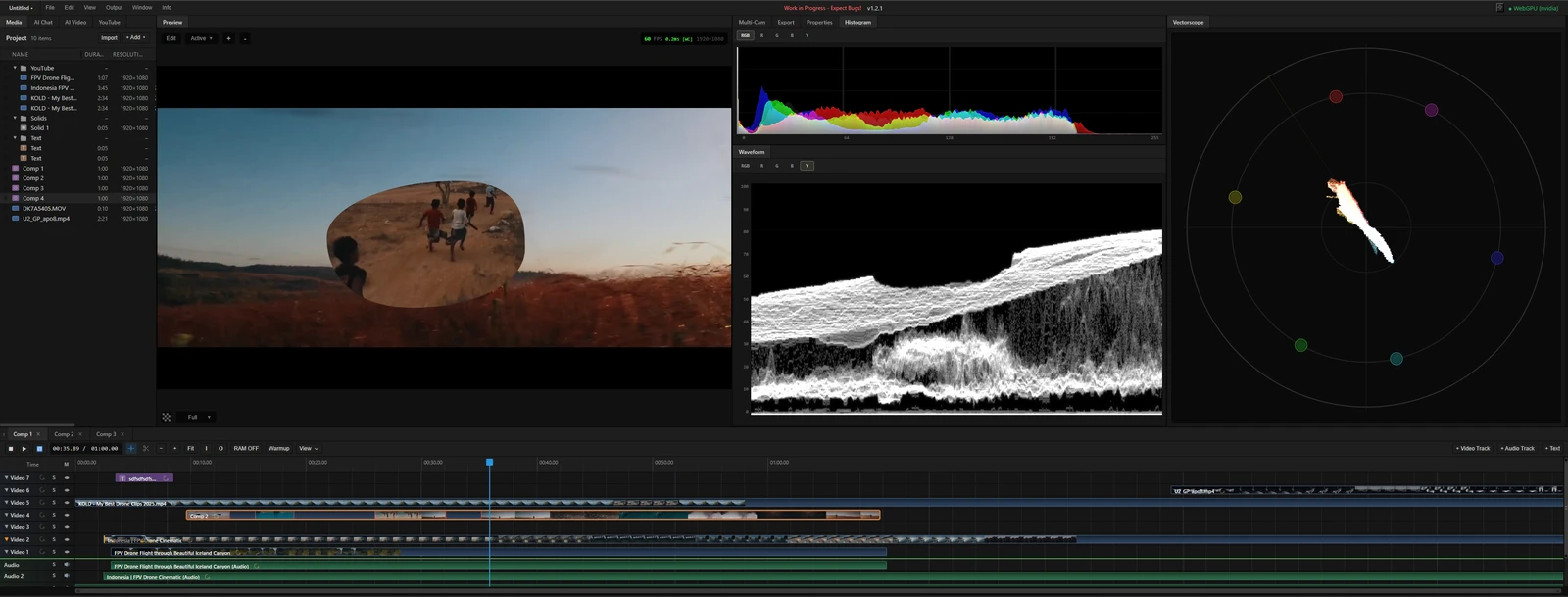 From the maker

MasterSelects
A desktop-browser media editor with a multitrack timeline, node effects and local WebGPU rendering.
ClaudeMasterSelects vs CapCut
Compare a desktop-browser timeline and effects graph with the device, caption and project needs of a CapCut workflow.
Read more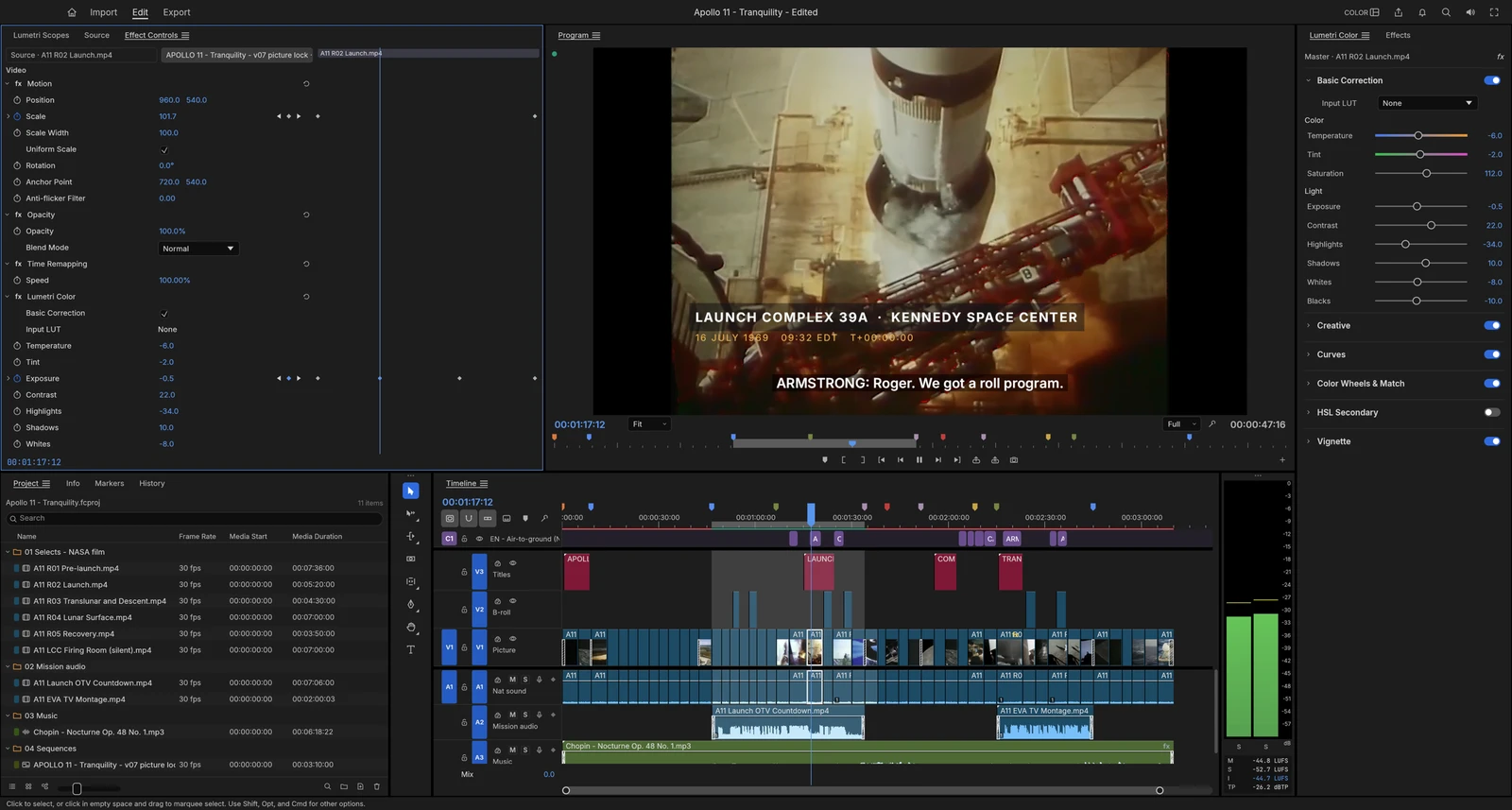 From the maker
FilmCraft
An alpha desktop video editor with a multitrack timeline, colour controls, titles, captions and documented export settings.
Claude