
ALTERNATIVES
MasterSelects vs VEED
Choose the editing work you need: a local timeline and effects graph, a shared caption workflow or a straightforward browser edit. Compare MasterSelects, Canva and Microsoft Clipchamp around the same short deliverable.
On this page
MasterSelects/ VEED
01Use the same small deliverable.
02Review the published operating requirements.
03Keep a reversible first trial.
The job in common
Choose the editing work you need: a local timeline and effects graph, a shared caption workflow or a straightforward browser edit. Compare MasterSelects, Canva and Microsoft Clipchamp around the same short deliverable.
What the smaller product documents
- Arrange clips, nested compositions, keyframes, masks and audio on editing workspaces.
- Connect effects in a node graph with live previews.
- Retain editable projects through the documented folder, browser-storage or Native Helper paths.
What to check for your workflow
- The current README recommends Chrome or Edge on desktop; browser, GPU and media-codec support affect the workflow.
- Hosted AI and media generation use external services and may require credits; this is separate from local editing.
- The project is actively developed. No VEED project importer, export benchmark or mobile editing parity was verified.
Choose one bounded trial
Use your actual account, browser or media requirements to decide whether the overlap is enough. The linked product record explains the source and review limits. No direct migration or full feature equivalence is established by this comparison.
Sources & maker notes
Related guides & projects
View all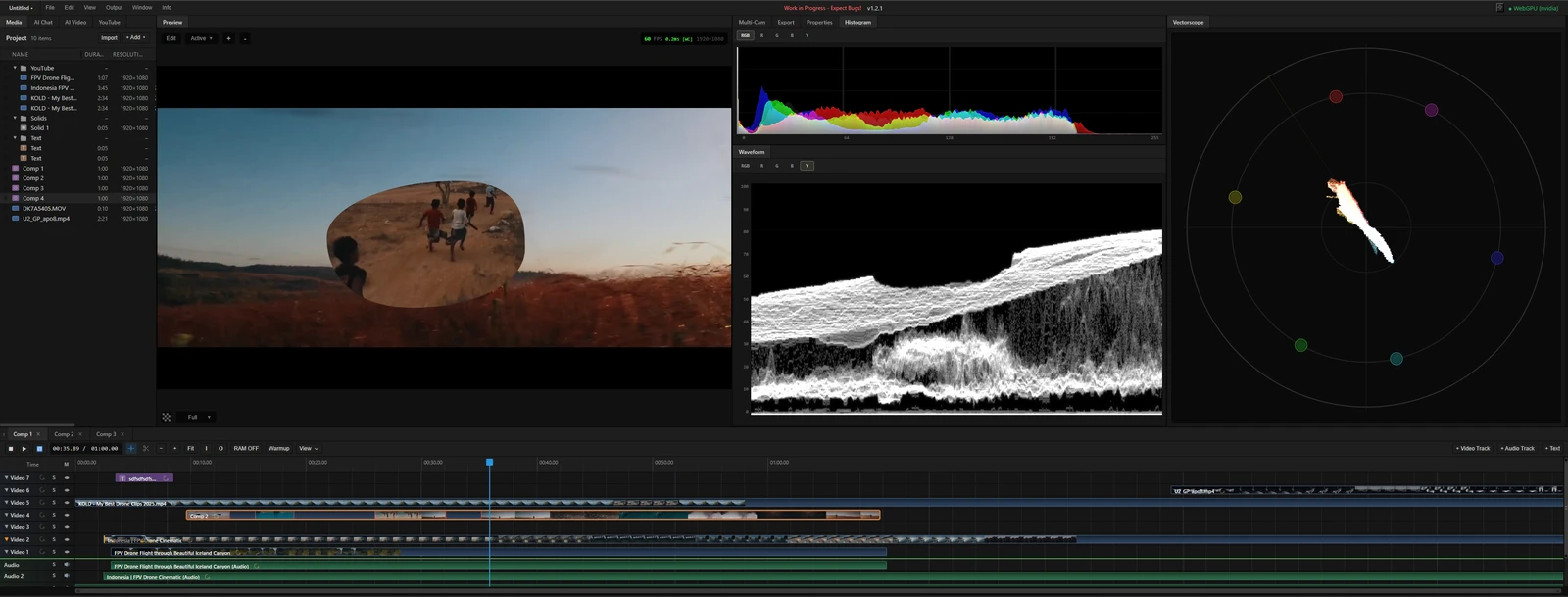 From the maker
MasterSelects
A desktop-browser media editor with a multitrack timeline, node effects and local WebGPU rendering.
ClaudeVEED Alternatives for Browser Video Editing and Captions
Compare VEED alternatives for browser Video Editing and Captions. Check caption edits, timeline control and export.
Read moreDesign and Content App Examples
Choose a focused tool for visual assets, recording, editing or publishing.
Read moreHow vibeforthat Reviews Sources
Understand the difference between a discovery lead, a maker build record and an independently tested product.
Read more