
ALTERNATIVES
Loom Alternatives for Screen Recordings and Sharing
Compare Loom alternatives for screen Recordings and Sharing. Check recording, editing and viewer access.
On this page
The short version
| Option | Choose it for | Check first |
|---|---|---|
| OpenScreen · AI-assisted community project | Record, edit zooms and export MP4/GIF locally | No hosted links, team workspaces or comments |
| ScreenPal · established software | Capture a screen, save a file or upload for a link | Recording duration, plan and desktop platform |
| Screen Studio · established software | Mac demos with editing, export and optional sharing | OS needs, upload terms and shared-project scope |
An AI-built option
1 projectEstablished options to compare

ScreenPal
Record screen and webcam, save a file, or upload it to a hosting account for sharing.
Compare the hosted-link step and current recording limits. Desktop platform support and the online recorder are separate checks.
Visit official site
Screen Studio
A Mac recorder and editor with presentation controls, local export and optional online sharing.
The current site includes shareable links and shared projects. Check their terms and platform requirements rather than assuming it is local-only.
Visit official site OpenScreen/Loom
01Local recording and hosted communication are different layers.
02Check captions as an output format, not just a checkbox.
03Current Screen Studio includes optional online sharing.
Try one workflow before switching
Record a short walkthrough and trim a mistake. Send it to a test recipient and check whether they can view, comment or download it with their intended permissions.
A file to hand over or a link to discuss?
If you need an MP4 for documentation or a product demo, a local recorder can cover the core task. If colleagues need a persistent page, comments or a central library, the sharing layer is part of the product requirement. OpenScreen explicitly excludes hosted links and team comments, so plan that layer elsewhere.
The open-source recording route
The current OpenScreen community project has evidence for capture, timeline editing and local export. Its maintainer reports using Claude Code for development under written specs and review. Optional AI editing may connect a separate provider; open-source does not mean every optional operation is offline.
Check captions and platform requirements
- OpenScreen burns captions into the video and does not provide SRT/VTT export. Check your downstream subtitle needs.
- Screen Studio is Mac-focused; ScreenPal desktop support and its separate online recorder have different requirements.
- Current Screen Studio documentation includes optional shareable links and shared projects. Check those terms rather than relying on an older local-only description.
How to use this comparison
Run the same small workflow in your shortlisted products: keep the input, output and required integration the same. The table records documented scope; it does not report a side-by-side product test.
A few more details
Which is a free Loom alternative?
Start with the exact recording length, export and sharing requirements. OpenScreen is an open-source local project; ScreenPal and Screen Studio have their own plan terms. A free recorder alone does not provide a hosted team communication service.
Are all of these apps AI-built?
Only entries with an original maker record carry that attribution. Established products are listed separately and are not assigned an AI-build label.
Sources & maker notes
The AI-build attribution applies only to products with a linked maker record. Other options use the publisher’s current product documentation; prices and plans should be checked at the source.
Related guides & projects
View all
VEED Alternatives for Browser Video Editing and Captions
Compare VEED alternatives for browser Video Editing and Captions. Check caption edits, timeline control and export.
Read moreSoftware Alternatives by Product
Start with a product you use and compare replacement workflows, supported tasks and what you would need to migrate.
Read moreDesign and Content App Examples
Choose a focused tool for visual assets, recording, editing or publishing.
Read more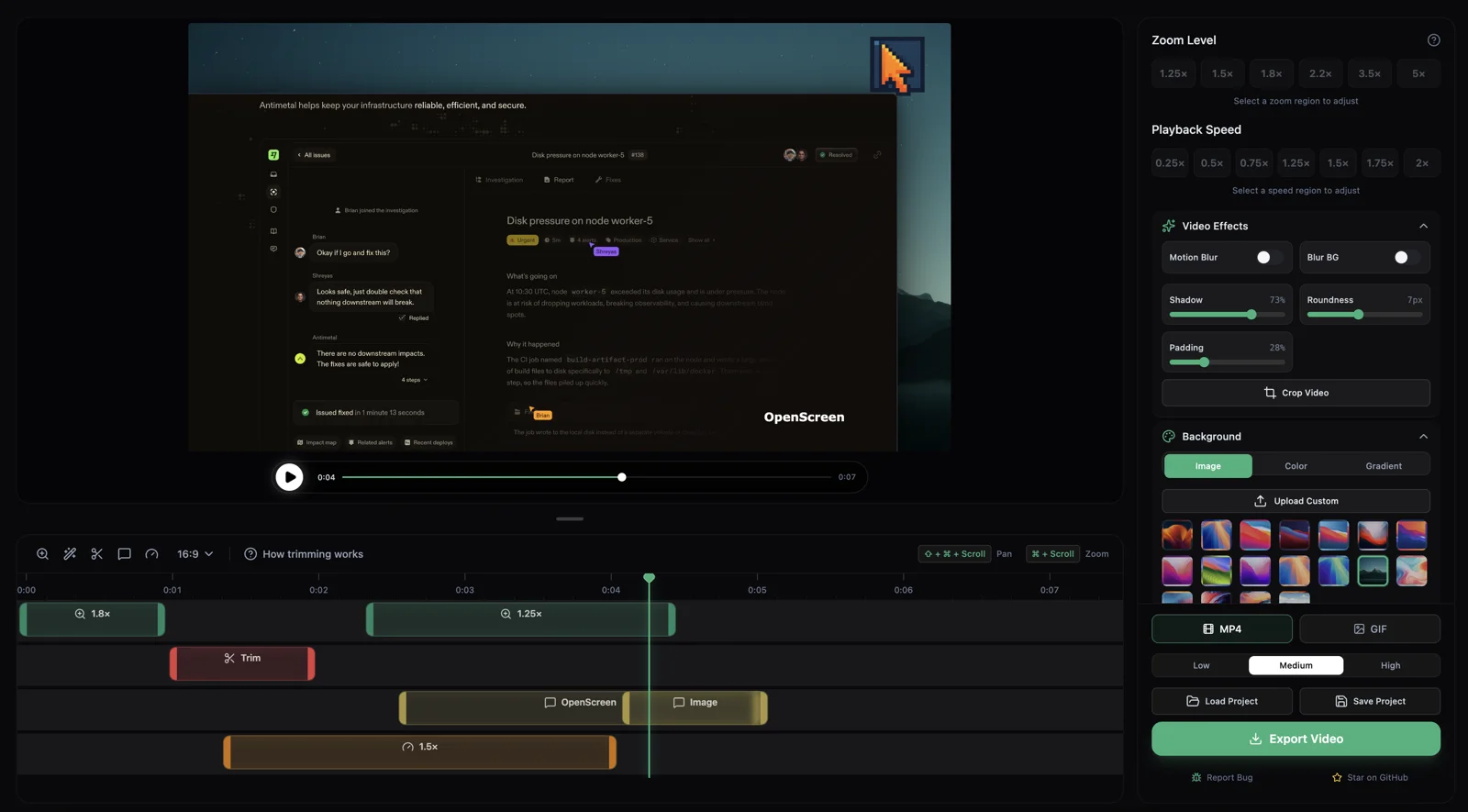 From the maker
OpenScreen
A community-maintained desktop screen recorder and editor that creates local demo videos with zooms, cursor styling, captions and MP4/GIF export.
Claude CodeOpenScreen vs Loom
OpenScreen covers recording, editing and local file export. Loom-style hosted links and discussion require a separate sharing service; the same recording task does not establish the same communication workflow.
Read moreHow vibeforthat Reviews Sources
Understand the difference between a discovery lead, a maker build record and an independently tested product.
Read more