ALTERNATIVES
OpenScreen vs Loom
OpenScreen covers recording, editing and local file export. Loom-style hosted links and discussion require a separate sharing service; the same recording task does not establish the same communication workflow.
On this page
Start with the shared task
OpenScreen covers recording, editing and local file export. Loom-style hosted links and discussion require a separate sharing service; the same recording task does not establish the same communication workflow.
What the smaller product covers
- Record a screen or window with camera and audio on desktop.
- Edit a timeline with zooms, trimming, cursor presentation and captions.
- Export a local H.264 MP4 or GIF; the file stays on disk for the user to share.
What still needs checking
- No hosted video links, cloud storage, team workspaces or video comments.
- Desktop application; no mobile capture or live streaming. Platform capture/audio permissions and prerequisites differ.
- Captions are burned into video; SRT and VTT export are not provided.
Sources & maker notes
Related guides & projects
View all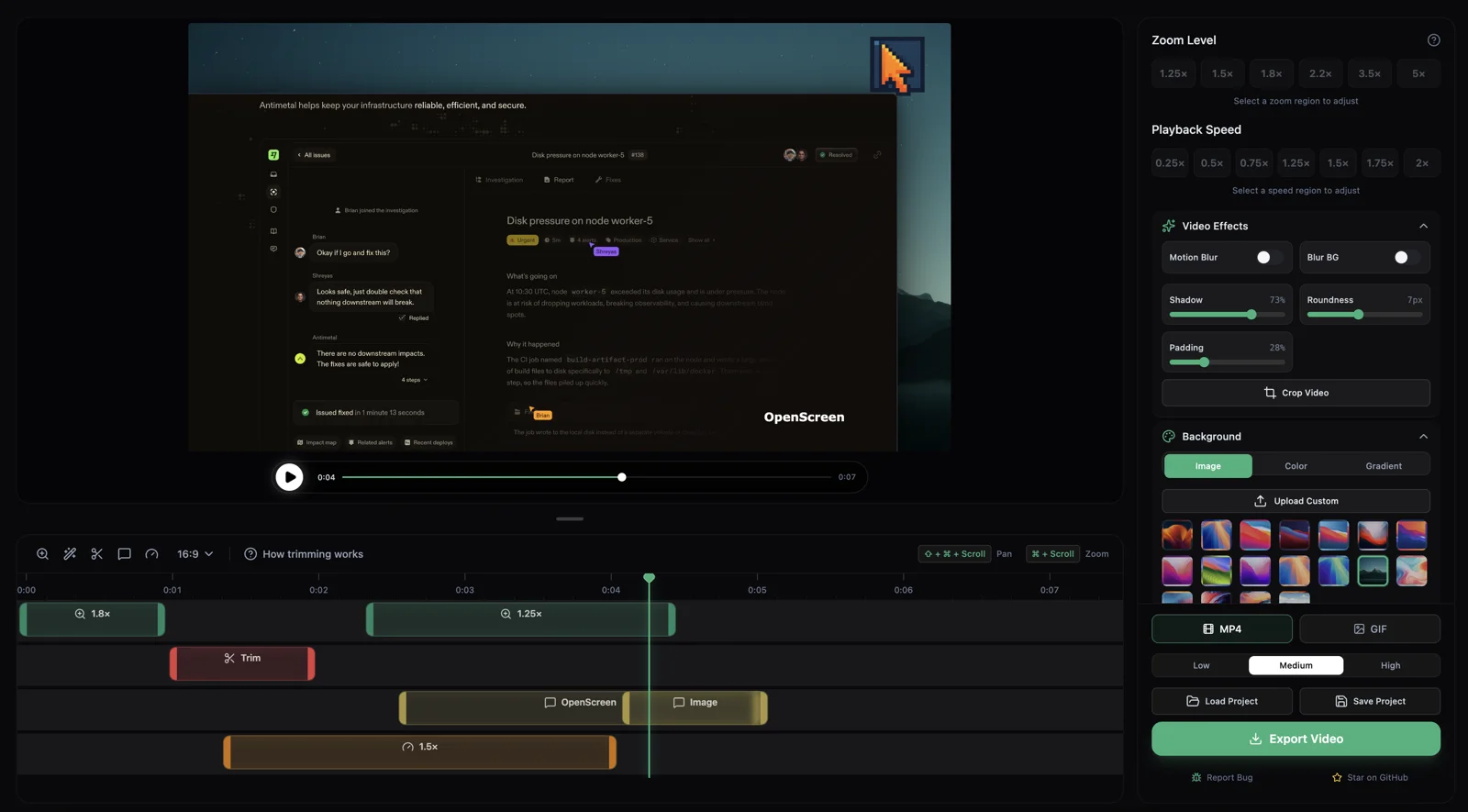 From the maker

OpenScreen
A community-maintained desktop screen recorder and editor that creates local demo videos with zooms, cursor styling, captions and MP4/GIF export.
Claude Code
Loom Alternatives for Screen Recordings and Sharing
Compare Loom alternatives for screen Recordings and Sharing. Check recording, editing and viewer access.
Read moreDesign and Content App Examples
Choose a focused tool for visual assets, recording, editing or publishing.
Read moreHow vibeforthat Reviews Sources
Understand the difference between a discovery lead, a maker build record and an independently tested product.
Read more