
ALTERNATIVES
Obsidian Alternatives for Local Notes and Linked Files
Compare Obsidian alternatives for local Notes and Linked Files. Check file ownership, internal links and sync.
On this page
The short version
| Option | Useful for | Check before switching |
|---|---|---|
| itsnotes · AI-built project | Browse imported notes as cards and lists | Database, server and Markdown mirror behavior |
| nvEnvy · AI-built project | Fast search and Markdown editing on macOS | No graph, canvas or plugins; macOS 14+ |
| Joplin · established software | Notebooks, attachments and Markdown import | Notebook organization and sync target |
An AI-built option
2 projectsEstablished options to compare

 itsnotesObsidian
Move a small vault without losing its meaning
01Content import does not reproduce plugins or Canvas.
02Decide whether files or a database own the current copy.
03Use one small folder before moving the whole vault.
Try one workflow before switching
Copy a small vault with an attachment and a linked note. Rename one file, follow the link and open it on a second device. Check how edits are stored before moving a larger vault.
Start with one small vault
Take a copy of a folder containing a linked note, an image, a tag and a task list. itsnotes documents an Obsidian ZIP importer and individual Markdown import. That is useful evidence for moving content, but a successful import says little about a plugin-driven dashboard or Canvas file. Keep the source folder until links and attachments have been checked.
A mirror is different from editing a folder
nvEnvy reads and writes notes as files. itsnotes keeps the database authoritative and can mirror notes into a Markdown directory, then read edits back with conflict handling. Decide which application owns the current copy before using another editor on those files. Backups should include the actual source of truth, not just whichever directory is easiest to copy.
List what the graph was doing for you
If your daily workflow depends on a graph, Canvas or a community plugin, a simpler editor may remove something useful. nvEnvy explicitly leaves those features out. Joplin is a notebook-oriented option. Compare finding a note, following a link and reviewing a project rather than assuming every Markdown editor reproduces an Obsidian workspace.
Include the cost of running it
The open-source options here use different operating models. itsnotes requires a server and database; nvEnvy is a Mac application; Joplin offers several sync choices. Compare device support, backups and remote availability alongside any subscription you would remove. These are source-based comparisons, not measured performance or security rankings.
How to use this comparison
Run the same small workflow in your shortlisted products: keep the input, output and required integration the same. The table records documented scope; it does not report a side-by-side product test.
A few more details
Which option is closest to a plain Markdown folder?
nvEnvy stores ordinary Markdown files. itsnotes can mirror Markdown, but its database remains authoritative. The difference matters when another editor changes those files.
Are all of these apps AI-built?
Only entries with an original maker record carry that attribution. Established products are listed separately and are not assigned an AI-build label.
Sources & maker notes
The AI-build attribution applies only to products with a linked maker record. Other options use the publisher’s current product documentation; prices and plans should be checked at the source.
Related guides & projects
View all
Evernote Alternatives for Notebook Migration
Compare Evernote alternatives for notebook Migration. Check imports, attachments and retrieval.
Read moreSoftware Alternatives by Product
Start with a product you use and compare replacement workflows, supported tasks and what you would need to migrate.
Read moreProductivity App Examples
Find a practical home for notes, tasks and shared project knowledge.
Read more From the maker
itsnotes
A self-hosted notes board with folders, linked notes, Markdown import and an optional Markdown mirror.
AI-assisteditsnotes vs Obsidian
Compare text-note storage and navigation without assuming plugin, Canvas or graph parity.
Read more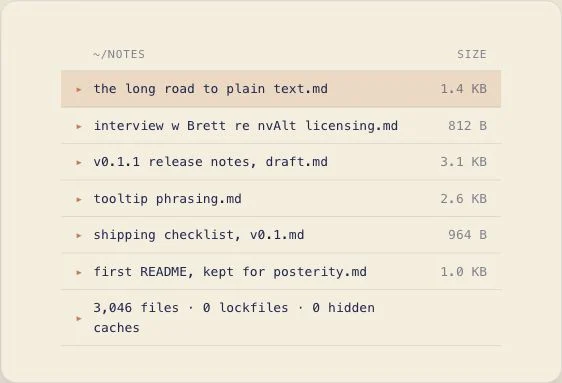 From the maker

nvEnvy
A keyboard-driven macOS note editor that stores Markdown files in a normal folder and combines search with note creation.
AI-assisted