
ALTERNATIVES
Notion Alternatives for Team Wikis and Workspaces
Compare Notion alternatives for team Wikis and Workspaces. Check page structure, databases and sharing.
On this page
The short version
| Option | A useful starting point for | Check separately |
|---|---|---|
| Open Walnut · AI-assisted project | Personal tasks, Markdown notes and coding sessions | Agent setup; no established Notion database parity |
| AFFiNE · established software | Documents, canvas and databases in one workspace | Team features and deployment edition |
| AppFlowy · established software | A document-and-database workspace with deployment choices | Database behavior, clients and server operation |
An AI-built option
1 projectEstablished options to compare

AFFiNE
A workspace combining documents, whiteboards and databases.
Compare the editing model and team/deployment features against the edition you will run.
Visit official site
AppFlowy
An open-source workspace for documents, databases and projects.
Check the client, cloud or self-hosted route, and the database features your current workspace uses.
Visit official site Open WalnutNotion
Move one useful part of the workspace first
01Pages, database behavior and access rules need separate checks.
02Agent execution is a different requirement from note editing.
03Local records do not describe every inference request.
Try one workflow before switching
Move a small workspace containing a nested page and a database view. Ask another person to find and edit the right item, then review what links and permissions survived the move.
Write down what the workspace actually does
Choose one useful part of your workspace: a project page with a linked task table, a shared reference document or a personal notes collection. Record who edits it and which views or formulas matter. AFFiNE and AppFlowy address the document-and-database shape. Open Walnut is a more specific route when tasks and notes are there to support coding-agent work.
When the task needs a running coding session
Open Walnut keeps projects, notes, memory and coding sessions together. Its local service needs a configured agent rather than a Notion-style hosted account. That can reduce the gap between a work note and the session acting on it. It does not establish formula, relational-database or team-permission equivalence with the workspace being replaced.
A page export is a starting point
Notion documents exports for pages, databases and workspaces in formats such as HTML, Markdown and CSV. Treat that material as an input to verify. Check a relation, a formula result, an attachment and a private page in the destination. No direct Notion importer was established for Open Walnut, so do not plan a whole workspace move around that assumption.
Choose who runs the system and who sees the data
Personal use, a team cloud workspace and a self-hosted service create different maintenance work. Compare backup and account administration as well as the editor. For Open Walnut, local record storage and the configured model’s inference path are separate questions. A small notes-only requirement may be better served by the simpler note editors linked below.
How to use this comparison
Run the same small workflow in your shortlisted products: keep the input, output and required integration the same. The table records documented scope; it does not report a side-by-side product test.
A few more details
Which options should I compare for self-hosted Notion use?
Begin with the required document and database behavior. AFFiNE and AppFlowy have workspace-oriented products; Open Walnut is more focused on personal tasks, notes and agent sessions. Check the edition and operating requirements separately.
Are all of these apps AI-built?
Only entries with an original maker record carry that attribution. Established products are listed separately and are not assigned an AI-build label.
Sources & maker notes
The AI-build attribution applies only to products with a linked maker record. Other options use the publisher’s current product documentation; prices and plans should be checked at the source.
Related guides & projects
View all
Coda Alternatives for Shared Docs and Tables
Compare Coda alternatives for shared Docs and Tables. Check linked records, automations and workspace permissions.
Read moreSoftware Alternatives by Product
Start with a product you use and compare replacement workflows, supported tasks and what you would need to migrate.
Read moreProductivity App Examples
Find a practical home for notes, tasks and shared project knowledge.
Read more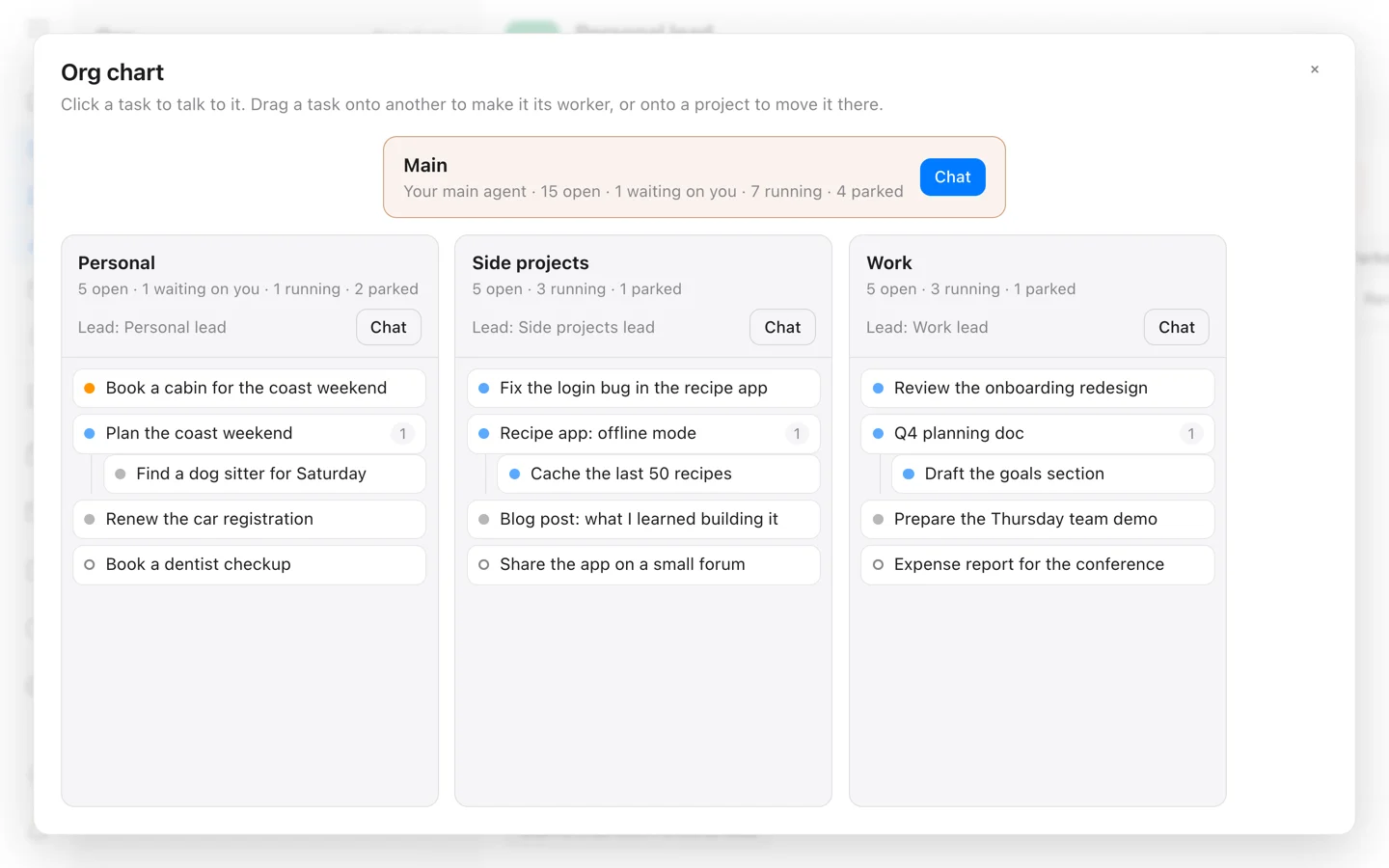 From the maker
Open Walnut
A self-hosted workspace that connects tasks, Markdown notes and local or remote coding-agent sessions.
Claude CodeOpen Walnut vs Notion
Compare task-and-agent work with the pages, database behavior and access rules of a team workspace.
Read moreHow vibeforthat Reviews Sources
Understand the difference between a discovery lead, a maker build record and an independently tested product.
Read more