ALTERNATIVES
Linear Alternatives for Issue Tracking and Team Backlogs
Compare Linear alternatives for issue Tracking and Team Backlogs. Check issue relations, triage and workflow state.
On this page
The short version
| Option | A useful starting point for | Check separately |
|---|---|---|
| PlanDB · AI-assisted project | Agent tasks, dependencies and context between sessions | CLI/MCP/API model; no direct Linear import verified |
| Open Walnut · AI-assisted project | Tasks tied to running coding-agent sessions | Local setup and team-planning gaps |
| Plane · established software | Issues, projects and cycle planning | Roles, integrations and edition differences |
| GitHub Issues & Projects · established software | Repository-linked issues, boards and roadmaps | Custom fields and non-developer access |
An AI-built option
2 projectsEstablished options to compare

Plane
A project and issue-tracking product with cycles and deployment choices.
Compare required roles, integrations and edition features; a self-hosted label alone is not a migration plan.
Visit official siteGitHub Issues & Projects
Issues and pull requests organized in tables, boards and roadmaps close to the repository.
Map identities and custom fields, and confirm the workflow suits collaborators who do not work in code.
Visit official site PlanDB/
01A team backlog coordinates people as well as work.
02An execution graph is a different data model.
03Map identities and access rules before importing records.
Try one workflow before switching
Move a small project with a blocked issue and an assigned bug. Check how your team finds blockers, changes ownership and connects the work to a code review.
Keep the team backlog understandable
An issue tracker coordinates people as well as tasks. Use one bug with an assignee, a dependency, a project and a review link. Plane and GitHub Projects are relevant starting points for that human workflow. A graph that tells an agent what to do next may still leave cycle planning, guest access or stakeholder reporting to another system.
An agent plan has a different shape
PlanDB documents nested tasks and dependencies across branches, along with ready-work discovery and retained context. The maker explicitly describes using Claude Code to build it. Its CLI, MCP and HTTP interfaces fit execution planning; they do not demonstrate a hosted issue board or a drop-in Linear data model. We did not install the program or test concurrent agents.
Connect a task to the changes it produced
Open Walnut gives coding sessions a place beside their tasks and a per-session review interface. That is useful if terminal sessions are the part missing from a planning tool. Its published workflow graphic is a dummy demonstration, not a benchmark. Keep the point where a person accepts the work explicit, regardless of which application stores the plan.
Map one project before moving the backlog
Linear documents CSV export of workspace issues with administrative requirements. Before choosing a destination, map identities, status values, labels and links to code changes. Decide which records remain in a human tracker and which become agent tasks. No direct Linear importer was verified for PlanDB or Open Walnut, and a text export alone does not preserve access rules.
How to use this comparison
Run the same small workflow in your shortlisted products: keep the input, output and required integration the same. The table records documented scope; it does not report a side-by-side product test.
A few more details
Can PlanDB replace every Linear team feature?
The documented overlap is agent task planning. Team roles, cycle reporting, hosted access and migration need separate evidence; this guide does not claim full feature parity.
Are all of these apps AI-built?
Only entries with an original maker record carry that attribution. Established products are listed separately and are not assigned an AI-build label.
Sources & maker notes
The AI-build attribution applies only to products with a linked maker record. Other options use the publisher’s current product documentation; prices and plans should be checked at the source.
Related guides & projects
View allTrello Alternatives for Kanban Boards and Team Work
Compare Trello alternatives for kanban Boards and Team Work. Check cards, rules and migration.
Read moreSoftware Alternatives by Product
Start with a product you use and compare replacement workflows, supported tasks and what you would need to migrate.
Read moreProductivity App Examples
Find a practical home for notes, tasks and shared project knowledge.
Read more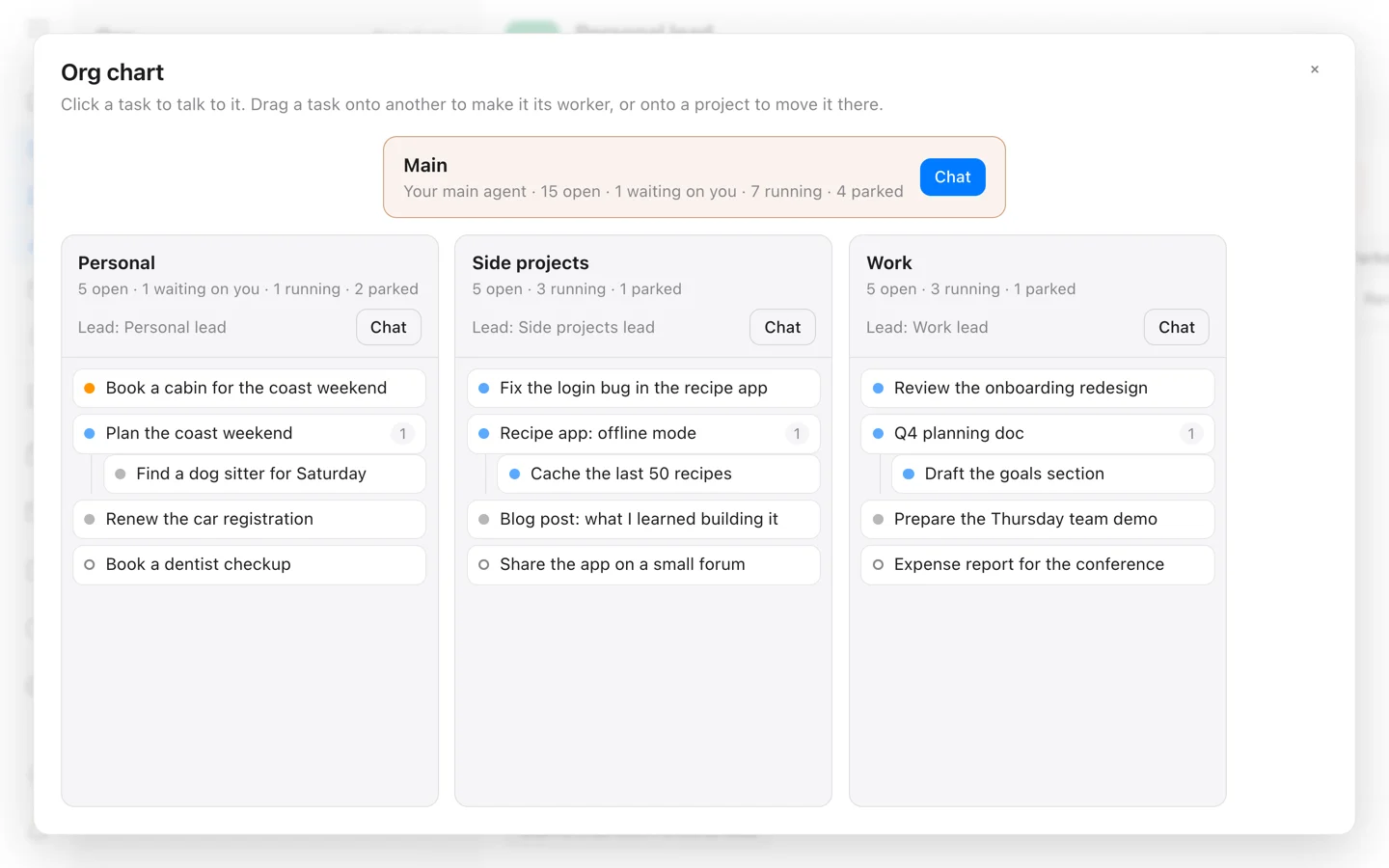 From the maker
Open Walnut
A self-hosted workspace that connects tasks, Markdown notes and local or remote coding-agent sessions.
Claude CodeOpen Walnut vs Linear
Compare agent execution planning with team issue tracking, roles and review.
Read more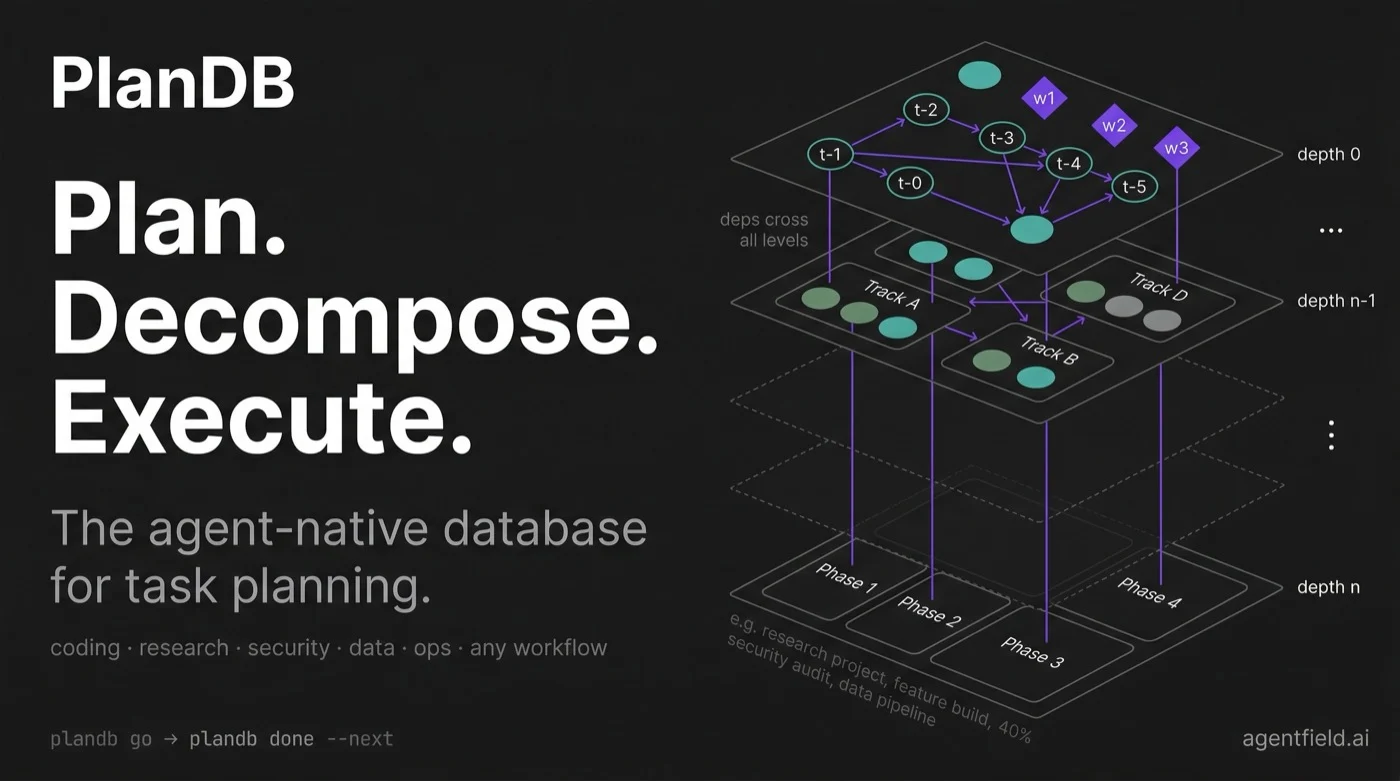 From the maker
PlanDB
A local task graph for coding agents, with dependencies, task claiming and shared context through CLI, MCP and HTTP interfaces.
Claude Code