
ALTERNATIVES
Evernote Alternatives for Notebook Migration
Compare Evernote alternatives for notebook Migration. Check imports, attachments and retrieval.
On this page
The short version
| Option | Useful for | Check before switching |
|---|---|---|
| nvEnvy · AI-built project | A small text-note workflow on Mac after conversion | No documented direct ENEX import |
| Joplin · established software | Import notebooks and attachments from ENEX | Complex formatting and note-link matching |
| Obsidian · established software | Convert ENEX into a local Markdown vault | Importer options, tags and notebook stacks |
An AI-built option
1 projectEstablished options to compare

Joplin
Open-source notebooks with Markdown and documented ENEX import.
Useful for a notebook-and-attachment archive. Check formatting and internal links after import.
Visit official site
Obsidian
A local Markdown vault with an official Importer route for Evernote ENEX files.
Compare vault organization and optional sync separately; an imported archive needs link and attachment checks.
Visit official site nvEnvy/Evernote
01Export an archive before choosing the next editor.
02ENEX conversion and ongoing writing are different choices.
03Inspect attachment and link behavior with a small notebook.
Try one workflow before switching
Export one notebook with an image, an attachment and a tagged note. Reopen the imported notes on the device you use most and test search before importing the rest.
Export from the desktop app first
Evernote documents ENEX and HTML export from its Mac and Windows applications, rather than Evernote Web. Export one complete notebook before planning a large move. Keep the export as a reference and include the attributes you depend on, such as tags and dates. A downloaded file is the starting point; the new application still has to interpret it.
Compare importers with the same notebook
Joplin documents ENEX import and explains that complex formatting can change during Markdown conversion; some internal links are matched by note title. Obsidian provides its official Importer and options for notebook stacks and tag hierarchy. Try notes with duplicate titles, a table and an attachment. Check the resulting links and readable content in the destination.
For future notes, a smaller editor may be enough
nvEnvy is a different choice after the conversion question is settled. It works with Markdown files and keyboard-driven search on macOS. It does not document direct ENEX import, nor does it offer the same cross-device product scope as a notebook suite. Choose it for the ongoing writing workflow, with a separate plan for any archive features you still need.
Check the whole workflow behind a free option
A free editor, a sync service and a server you operate are separate decisions. Before switching, open a note on each required device, check the backup route and confirm which sharing features matter. Keep historical exports even when the first notebook looks right; a second notebook may expose a different formatting or attachment case.
How to use this comparison
Run the same small workflow in your shortlisted products: keep the input, output and required integration the same. The table records documented scope; it does not report a side-by-side product test.
A few more details
Can nvEnvy directly replace the Evernote importer?
No direct ENEX route is documented. Compare Joplin or Obsidian for that conversion, then verify the resulting text files before using a smaller editor.
Are all of these apps AI-built?
Only entries with an original maker record carry that attribution. Established products are listed separately and are not assigned an AI-build label.
Sources & maker notes
The AI-build attribution applies only to products with a linked maker record. Other options use the publisher’s current product documentation; prices and plans should be checked at the source.
Related guides & projects
View allObsidian Alternatives for Local Notes and Linked Files
Compare Obsidian alternatives for local Notes and Linked Files. Check file ownership, internal links and sync.
Read moreSoftware Alternatives by Product
Start with a product you use and compare replacement workflows, supported tasks and what you would need to migrate.
Read moreProductivity App Examples
Find a practical home for notes, tasks and shared project knowledge.
Read more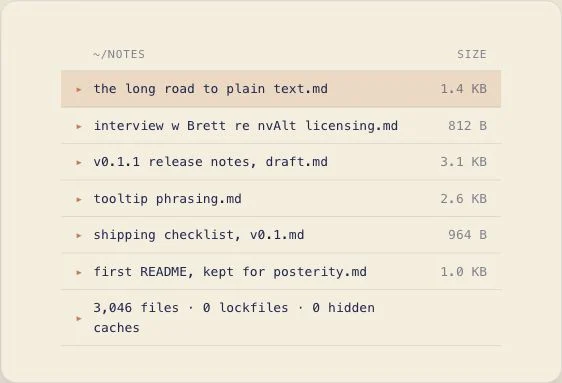 From the maker
nvEnvy
A keyboard-driven macOS note editor that stores Markdown files in a normal folder and combines search with note creation.
AI-assistednvEnvy vs Evernote
Separate converting an ENEX archive from choosing the editor for future notes.
Read moreHow vibeforthat Reviews Sources
Understand the difference between a discovery lead, a maker build record and an independently tested product.
Read more