
ALTERNATIVES
Framer Alternatives for Publishing and CMS
Compare Framer alternatives for publishing and CMS. Check editable pages, CMS and publishing handoff.
On this page
The short version
| Option | Choose it for | Check first |
|---|---|---|
| WEB4 · AI-built project | Visual edits with export or separately priced hosting | Blogging is Coming Soon; do not assume full CMS |
| HatchIt · AI-built project | Section editing and React/Tailwind handoff to an owned repo | External deployment and no proven CMS migration |
| Webflow · established software | Visual CMS with content templates and hosted publishing | Export entitlements and services that do not leave with code |
| WordPress · established software | Pages, content and templates with an operated CMS | Block theme, hosting and ongoing maintenance |
An AI-built option
2 projectsEstablished options to compare

Webflow
A visual CMS for reusable content structures, templates and hosted publishing.
Consider it when structured content matters as much as page design. Code export has a different entitlement and does not preserve all platform services.
Visit official site
WordPress
A content system with pages, templates and a Site Editor when a block theme is active.
Compare it when you want to operate the content system yourself. Hosting, updates, backups and theme or plugin choices remain part of the work.
Visit official site WEB4/Framer
01A live site, a repository and a client editor are different handoffs.
02A design export does not establish CMS migration.
03WordPress changes the hosting and maintenance responsibility.
Try one workflow before switching
Rebuild one responsive page with a repeatable content entry. Let a content editor add an item, preview the mobile view and publish it using their usual access level.
What do you need to hand over?
A deployed portfolio, a repository a developer can maintain and an editor a client can use are three different deliverables. HatchIt documents a GitHub/Vercel route; WEB4 offers export and separate hosting. Framer’s official help says HTML export for self-hosting is not available. A tool that produces code changes the handoff, but someone still has to run the site.
Keep content editing in the comparison
Six static project pages are a smaller requirement than hundreds of entries with shared fields and templates. The smaller builders here have evidence for page creation; that does not establish CMS collection, localization or role parity. If editors need to add content without touching the page structure, inspect that workflow in the mature CMS options.
WordPress adds a different operating model
WordPress’s Site Editor works with an active block theme and manages templates, styles and navigation. That can fit a content-led site, with hosting, backups and updates included in your responsibilities. Check your actual theme and plugins rather than treating all WordPress installations as the same product.
How to use this comparison
Run the same small workflow in your shortlisted products: keep the input, output and required integration the same. The table records documented scope; it does not report a side-by-side product test.
A few more details
Which option gives me portable code?
HatchIt documents an owned repository and WEB4 documents export. Verify the generated files, dependencies and hosting work; code ownership does not automatically move CMS data or service behavior.
Are all of these apps AI-built?
Only entries with an original maker record carry that attribution. Established products are listed separately and are not assigned an AI-build label.
Sources & maker notes
The AI-build attribution applies only to products with a linked maker record. Other options use the publisher’s current product documentation; prices and plans should be checked at the source.
- Charles Perez — building WEB4 with Cursor
- WEB4 product site
- HatchIt — original maker build post
- HatchIt product site
- Webflow official documentation
- WordPress official documentation
- Framer CMS product
- Framer HTML export and hosting boundary
- Webflow code export requirements and exclusions
- WordPress hosting requirements
- WordPress official brand assets
Related guides & projects
View allWebflow Alternatives for CMS Sites and Handoff
Compare Webflow alternatives for CMS Sites and Handoff. Check content models, editing access and deployment.
Read moreSoftware Alternatives by Product
Start with a product you use and compare replacement workflows, supported tasks and what you would need to migrate.
Read moreWebsite and Bio Link App Examples
Publish a clear web presence with the content, domain and editing controls your project needs.
Read more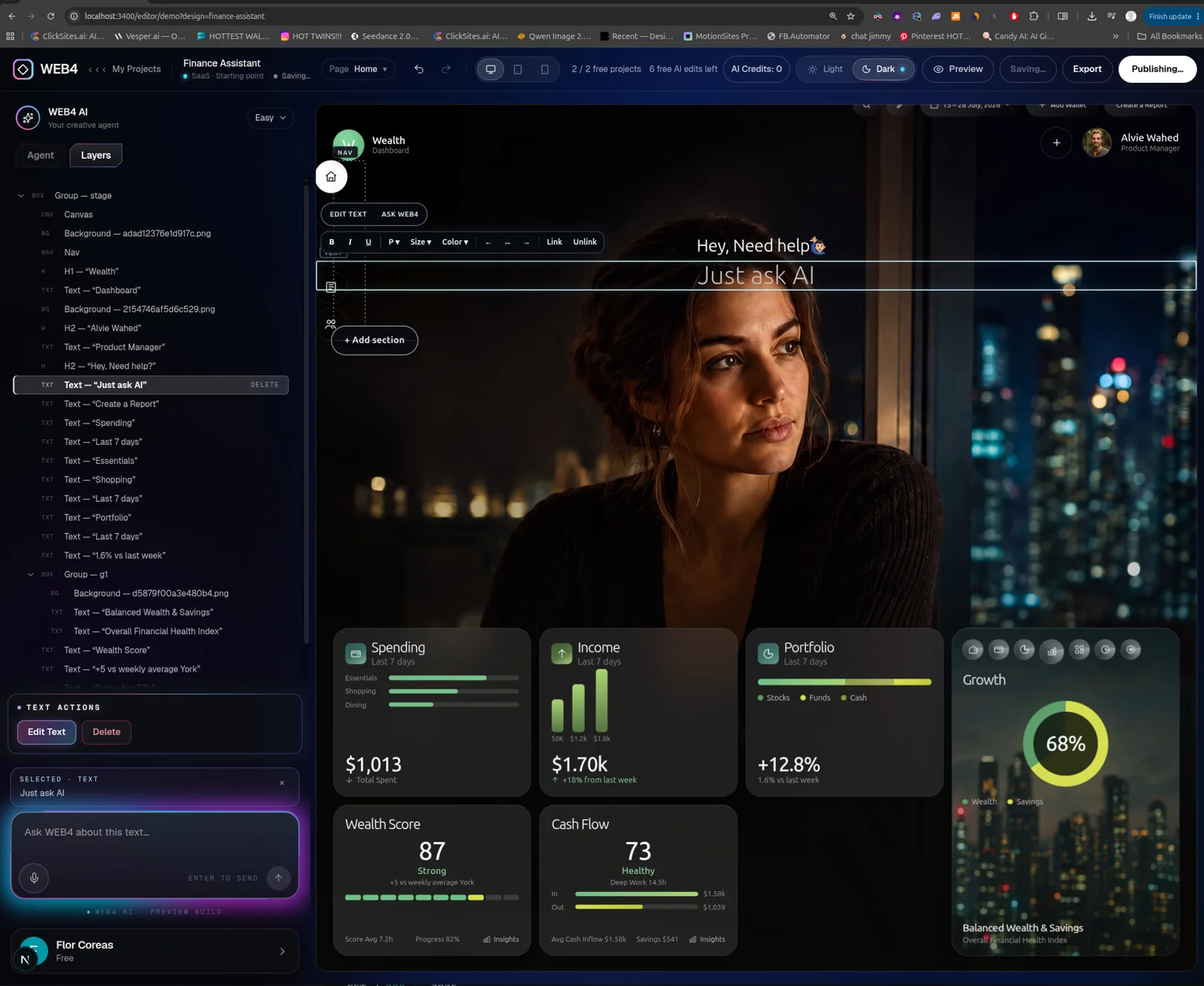 From the maker
WEB4
A website design library and visual editor with AI changes, code export and optional hosted publishing.
CursorWEB4 vs Framer
Compare a small site’s editing and publication path. Owning generated frontend code and operating a hosted CMS are different outcomes; neither establishes a complete project migration.
Read more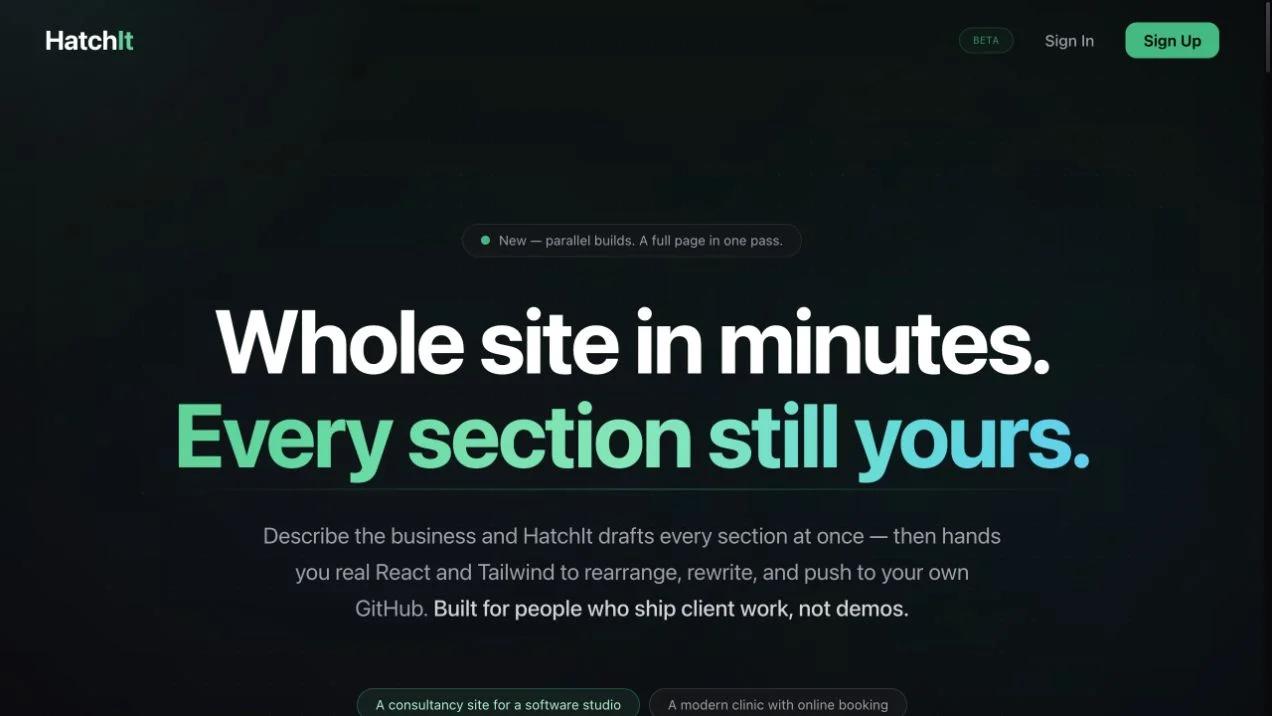 Site capture

HatchIt
An AI-assisted website builder with section editing, multi-page projects, and React/Tailwind code pushed to a user-owned GitHub repository.
Claude