What is Rytr?
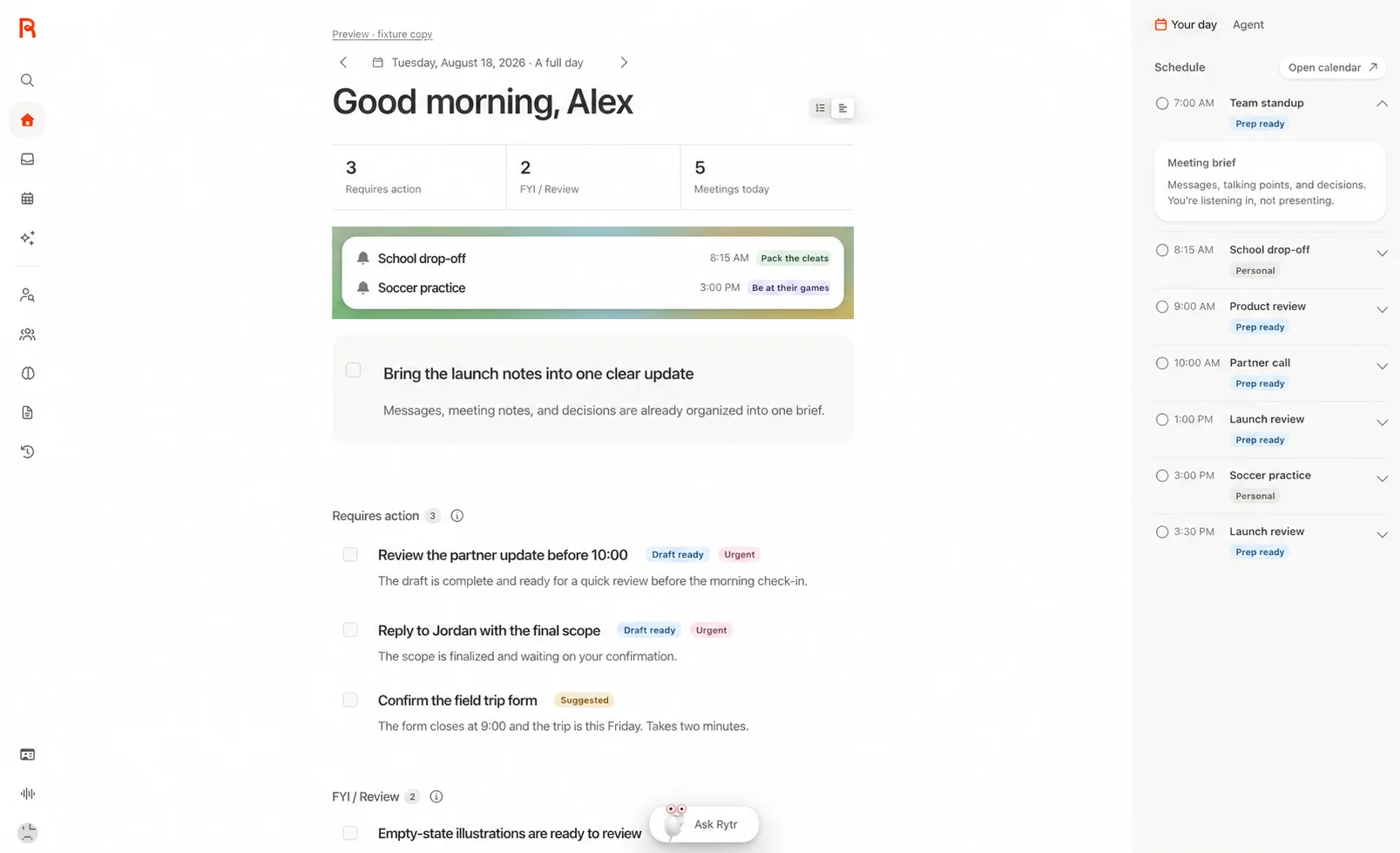
Rytr combines Create writing tools with Engage relationship workflows. Its current product connects communication context to reminders, briefings and drafts, with human review before messages are sent.
Official website: rytr.meWhen do you need to upgrade from Rytr Free?
Rytr’s plan table lists 10,000 writing characters each month on Free. It also lists separate limits for connected sources, active relationships, and follow-up actions. If writing volume is your only bottleneck, compare Lite, which removes the monthly character cap.
- Try a real follow-up draft and verify any dates, commitments, or contact details before sending it.
- If you want to connect more than one source, compare that limit separately from the text allowance.
Rytr: free features & limits
What's free: Create short drafts and prepare follow-ups with limited connected context.
Limits: Free lists 10,000 writing characters per month and separate Engage limits.
Signup requiredWhy this tool & pricing source
For a small writing or follow-up task with a clear monthly budget.
Official pricing checked: · Not a hands-on test
Official plan & conditions ↗Limits to check before you start
- Characters, connected sources and Engage actions have different limits.
- Review generated commitments and personal context before use.
What can you use it for?
- Prepare a follow-up after a conversation.
- Rewrite a short message in a consistent voice.
Who is it for?
- People writing frequent follow-ups with context from their work.
How to use it
- Choose a writing task or connect an approved source.
- Provide the audience and relationship context.
- Review the draft and send it through your chosen channel.
Core features
- Create drafts and revise tone or wording.
- Use connected context for briefings and follow-up preparation.
Benefits
- Create drafts and revise tone or wording.
Frequently asked questions
Is Rytr only a writing template tool?
No. The current product also includes relationship context and follow-up workflows.
Do writing characters and actions share one allowance?
The pricing page lists them separately; check both limits.
Pricing & plans
Free lists 10,000 writing characters per month plus limited Engage use. Lite, Personal and Pro expand different parts of the product.
View official pricingCompany & contact information
- Company / team
- Rytr
- Official documentation
- https://rytr.me/pricing
Product images
Open an image for the full view. These official product previews, documentation, interfaces and examples may include paid features; check the relevant plan.
Sources
Compiled from the linked official pricing and help pages, not a hands-on product test. Check current features, allowances and rights at the source.
- Rytr — official product documentationhttps://rytr.me/
- Rytr — official plans and helphttps://rytr.me/pricing
Tool Info
Has this tool changed? Help us keep it up to date
Rytr Reviews
Loading reviews…