What is QuillBot?
QuillBot is a writing toolkit centered on revising existing text. Its Paraphraser produces alternative wording, while grammar checking and summarization support editing and reviewing short passages.
If you want sentence-level grammar or tone suggestions while keeping most of the draft, compare Grammarly.
Official website: quillbot.comWhat can you do with QuillBot’s free Paraphraser?
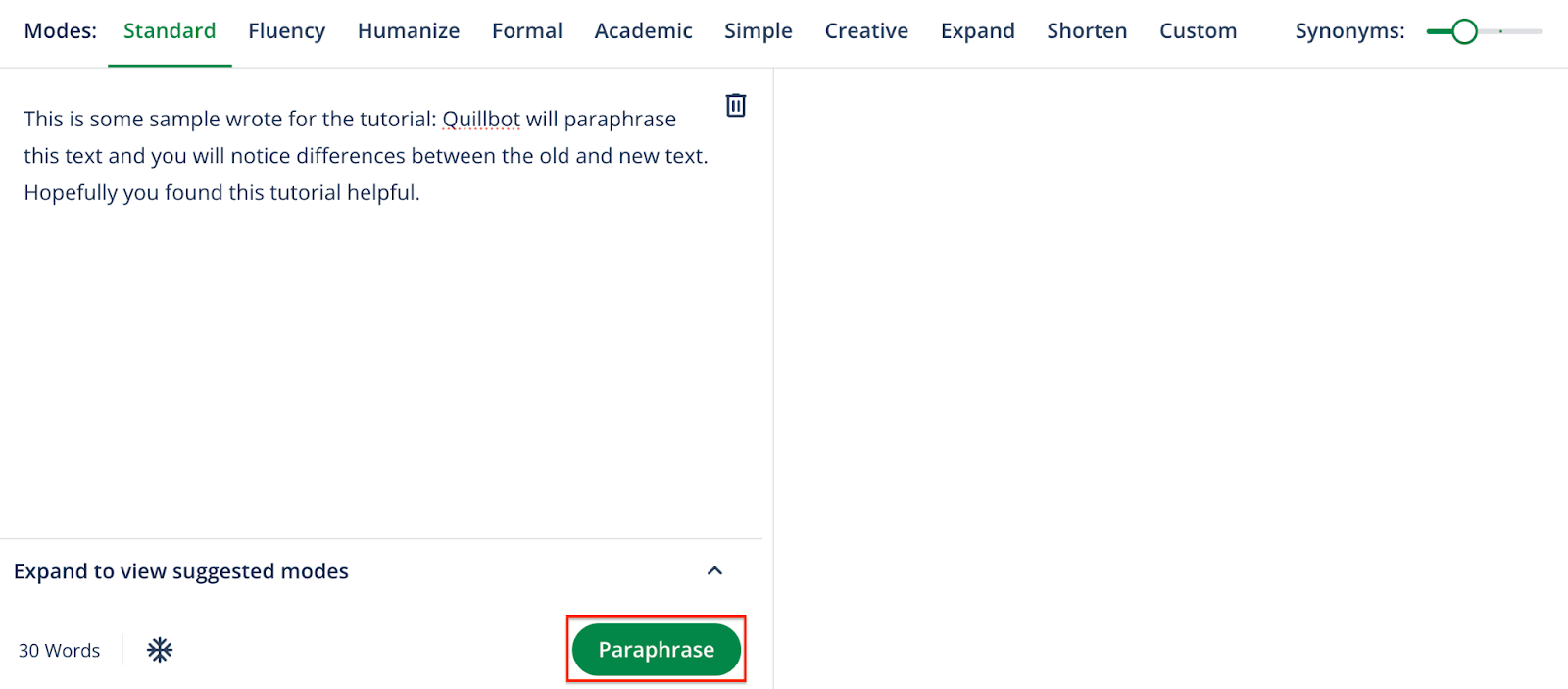
QuillBot’s free Paraphraser accepts up to 100 words at a time and includes Standard and Fluency modes. Paste a short paragraph and choose the mode based on whether you want a general rephrasing or smoother wording.
- Compare names, quantities, and technical terms against the original before copying the rewrite.
- If you repeatedly need longer inputs or a mode outside the free pair, check what Premium unlocks for the Paraphraser itself.
QuillBot: free features & limits
What's free: Paraphrase short passages and correct basic grammar.
Limits: Up to 100 words per paraphrase in two modes; other tools have separate limits.
Signup not confirmedWhy this tool & pricing source
A practical choice for revising a short paragraph rather than a whole document.
Official pricing checked: · Not a hands-on test
Official plan & conditions ↗Limits to check before you start
- Free paraphrasing is capped at 100 words per input.
- Advanced modes and grammar recommendations require Premium.
What can you use it for?
- Rewording an email paragraph or removing repetition in a draft.
Who is it for?
- Writers revising a short passage they already have.
How to use it
- Paste up to 100 words into the Paraphraser.
- Choose an available free mode and run the paraphrase.
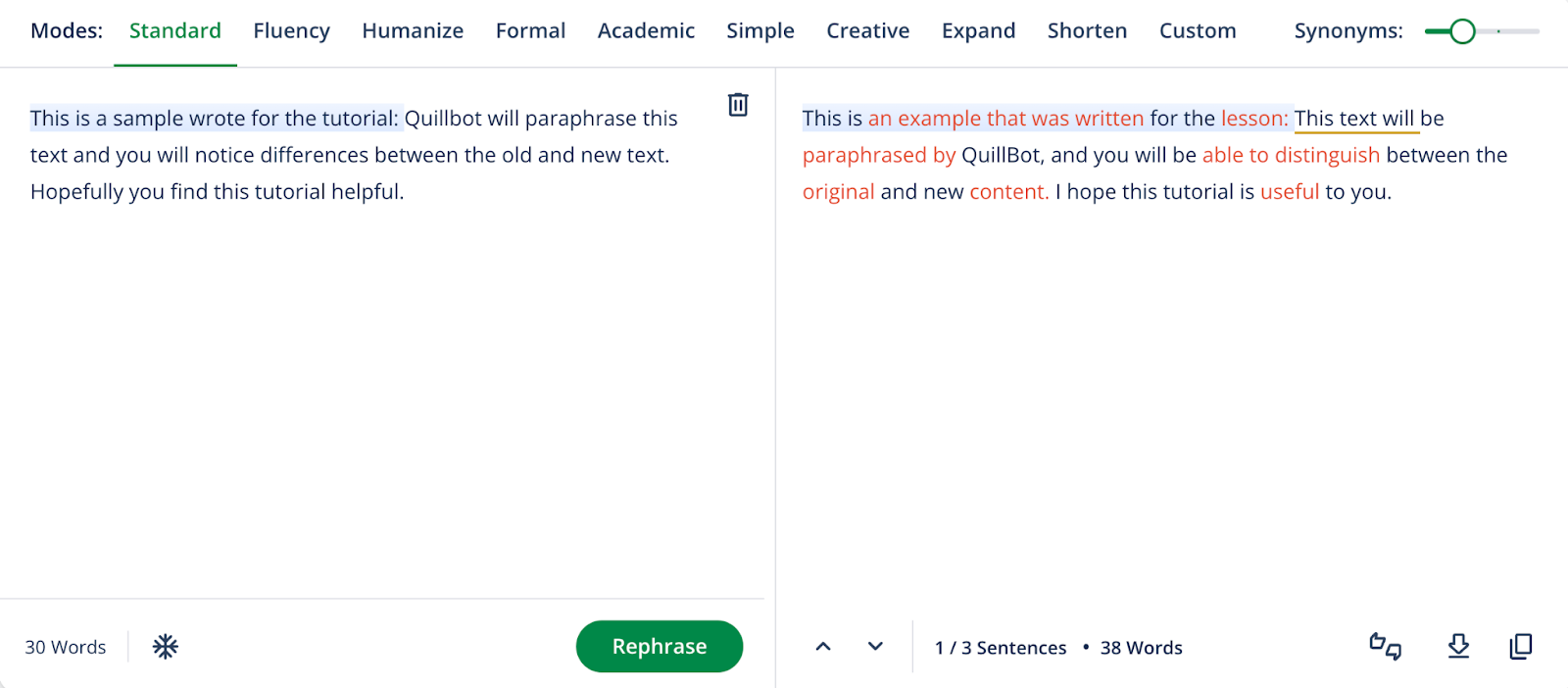
- Review highlighted changes and copy the version that preserves your meaning.
Core features
- Paraphrasing in two free modes.
- Basic grammar correction.
- Basic summaries with separate usage limits.
Benefits
- Compare the rewrite with highlighted wording changes.
Frequently asked questions
Can Free paraphrase a whole document at once?
The 100-word input limit makes it better suited to short passages.
Should I accept every rewrite?
No. Compare meaning, terminology and tone before copying the result.
Pricing & plans
The Free plan is ongoing. Premium expands paraphrasing and editing; each tool has its own allowance.
Company & contact information
- Company / team
- QuillBot
Product images
Open an image for the full view. These official product previews, documentation, interfaces and examples may include paid features; check the relevant plan.
Sources
Compiled from the linked official pricing and help pages, not a hands-on product test. Check current features, allowances and rights at the source.
- QuillBot Free and Premiumhttps://quillbot.com/premium
- How to use the Quillbot Paraphraserhttps://help.quillbot.com/hc/en-us/articles/35854222679319-How-to-use-the-Quillbot-Paraphraser
Tool Info
Has this tool changed? Help us keep it up to date
QuillBot Reviews
Loading reviews…