What is Fireflies.ai?
Fireflies.ai is a meeting assistant for capturing transcripts and finding information in meeting records. It connects to meeting and calendar workflows, with settings controlling which meetings it joins and who receives recaps.
If you already have a recording to import, compare the upload allowance and transcript review workflow in Otter.ai.
Official website: fireflies.aiWhen is the Fireflies free plan enough?
Start by deciding how your recordings reach Fireflies. The free plan can transcribe eligible meetings without a transcription limit when Auto-join is enabled. Uploaded recordings and meeting storage have separate limits.
- Try one routine call and check whether Auto-join fits your calendar setup and how your team handles recording notices.
- For an archive or an audio backlog, compare storage and upload allowances and verify the export you need on the current plan table.
Fireflies.ai: free features & limits
What's free: Transcribe meetings and search your meeting notes.
Limits: 400 minutes of team storage; unlimited free transcription requires auto-join. Summaries are limited.
Signup requiredWhy this tool & pricing source
Useful when the main need is searchable meeting transcripts.
Official pricing checked: · Not a hands-on test
Official plan & conditions ↗Limits to check before you start
- Free storage is 400 minutes per team; this is not a monthly transcription budget.
- Unlimited free transcription requires auto-join to be enabled; summaries remain limited.
What can you use it for?
- Revisiting a discussion without manually searching through meeting notes.
Who is it for?
- People who need searchable meeting transcripts.
How to use it
- Sign up with Google or Microsoft and review calendar access.
- Choose auto-join and recap recipients; confirm participants agree to recording.
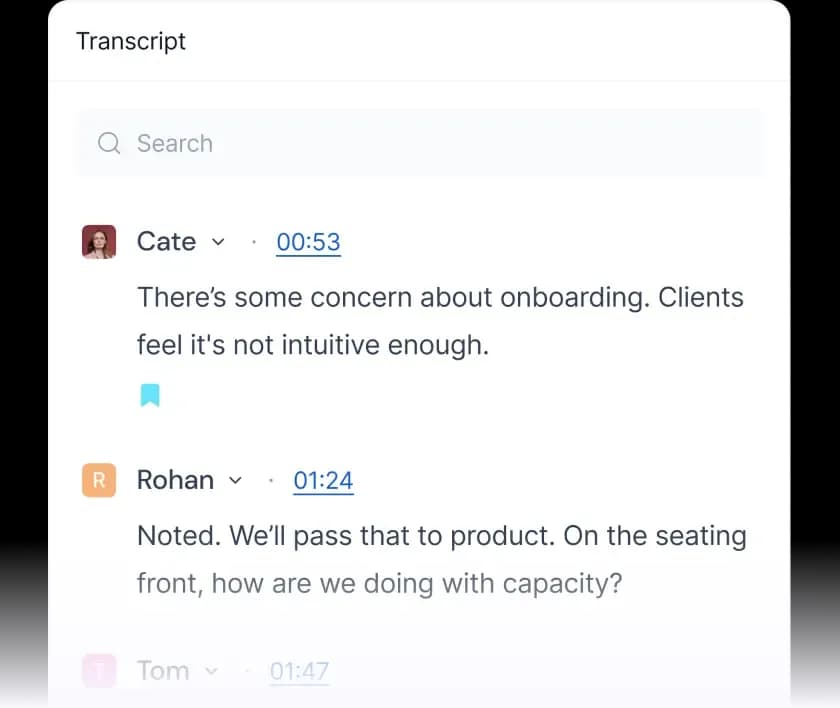
- Open the meeting record to review and search the transcript.
Core features
- Meeting transcription and search.
- Support for Zoom, Google Meet and Microsoft Teams.
- Limited AI summaries and audio/video uploads.
Benefits
- Search meeting transcripts instead of manually scanning every note.
Frequently asked questions
Does 400 minutes reset monthly?
The pricing page describes a storage capacity, not a recurring transcription allowance.
Will it join every calendar meeting?
Default auto-join can be broad. Review join rules and recap recipients during setup.
Pricing & plans
Free is ongoing. Pro and higher plans expand summaries, storage and exports. The optional Business trial is a separate offer.
View official pricingCompany & contact information
- Company / team
- Fireflies.ai
- Official documentation
- https://guide.fireflies.ai/articles/9016807101-how-to-create-a-fireflies-account
Product images
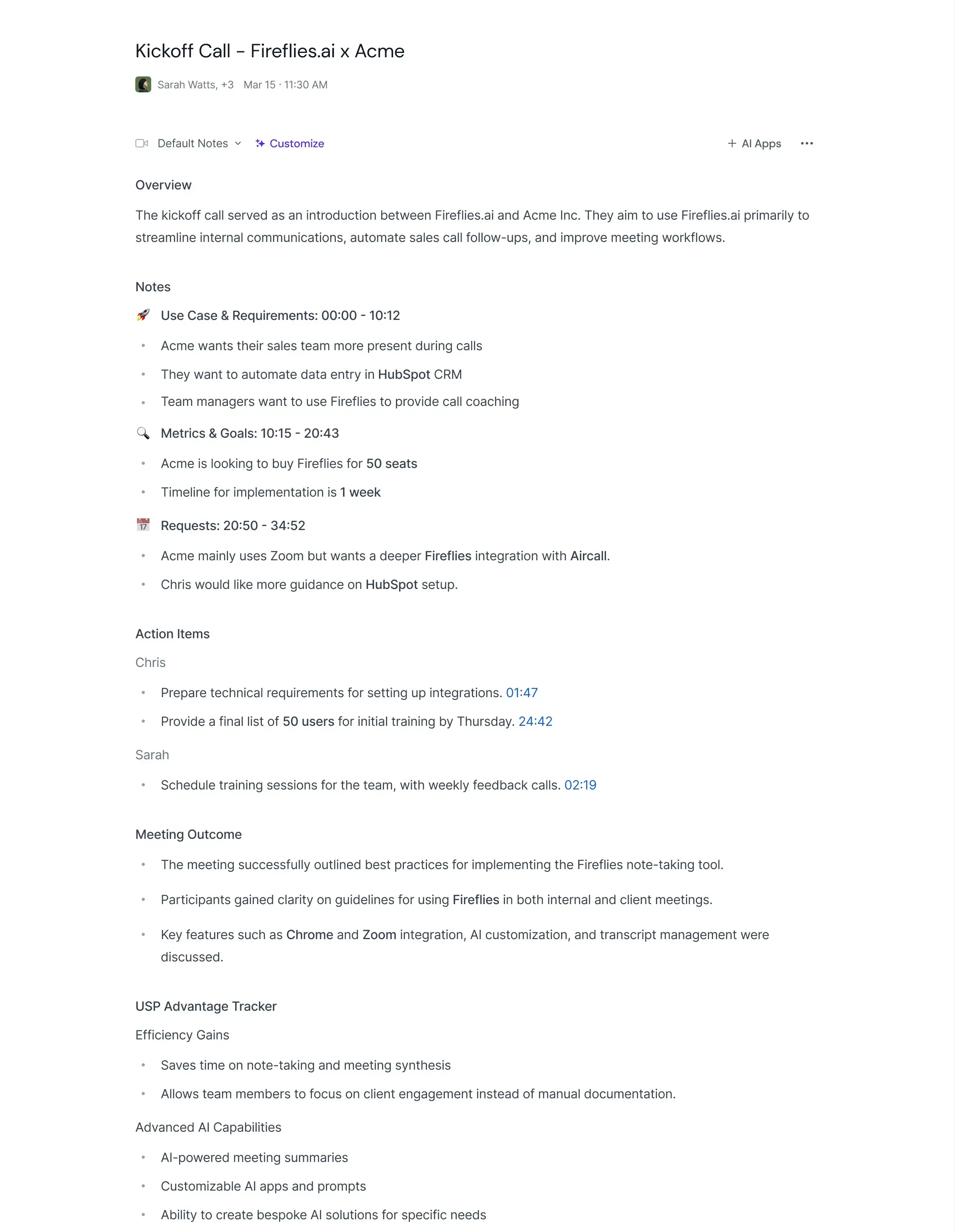
Open an image for the full view. These official product previews, documentation, interfaces and examples may include paid features; check the relevant plan.
Sources
Compiled from the linked official pricing and help pages, not a hands-on product test. Check current features, allowances and rights at the source.
- Fireflies.ai pricinghttps://fireflies.ai/pricing
- How to create a Fireflies accounthttps://guide.fireflies.ai/articles/9016807101-how-to-create-a-fireflies-account
- Fireflies.ai — Fireflies official transcript and playback previewhttps://fireflies.ai/
Tool Info
Has this tool changed? Help us keep it up to date
Fireflies.ai Reviews
Loading reviews…