
ALTERNATIVES
MasterSelects vs Descript
Desktop-browser timeline editing; transcript editing and Descript project import are not established.
On this page
MasterSelects/ Descript
01Desktop-browser timeline editing; transcript editing and Descript project import are not established.
02Edit one spoken clip, correct its captions and reopen the project; compare what remains editable after export.
The shared task
Desktop-browser timeline editing; transcript editing and Descript project import are not established.
Inside MasterSelects
- Arrange clips, nested compositions, keyframes, masks and audio on editing workspaces.
- Connect effects in a node graph with live previews.
- Retain editable projects through the documented folder, browser-storage or Native Helper paths.
Before relying on it
- The current README recommends Chrome or Edge on desktop; browser, GPU and media-codec support affect the workflow.
- Hosted AI and media generation use external services and may require credits; this is separate from local editing.
- The project is actively developed. No VEED project importer, export benchmark or mobile editing parity was verified.
Run a small comparison
Edit one spoken clip, correct its captions and reopen the project; compare what remains editable after export.
A few more details
Does MasterSelects replace the full Descript suite?
Desktop-browser timeline editing; transcript editing and Descript project import are not established.
Sources & maker notes
Related guides & projects
View all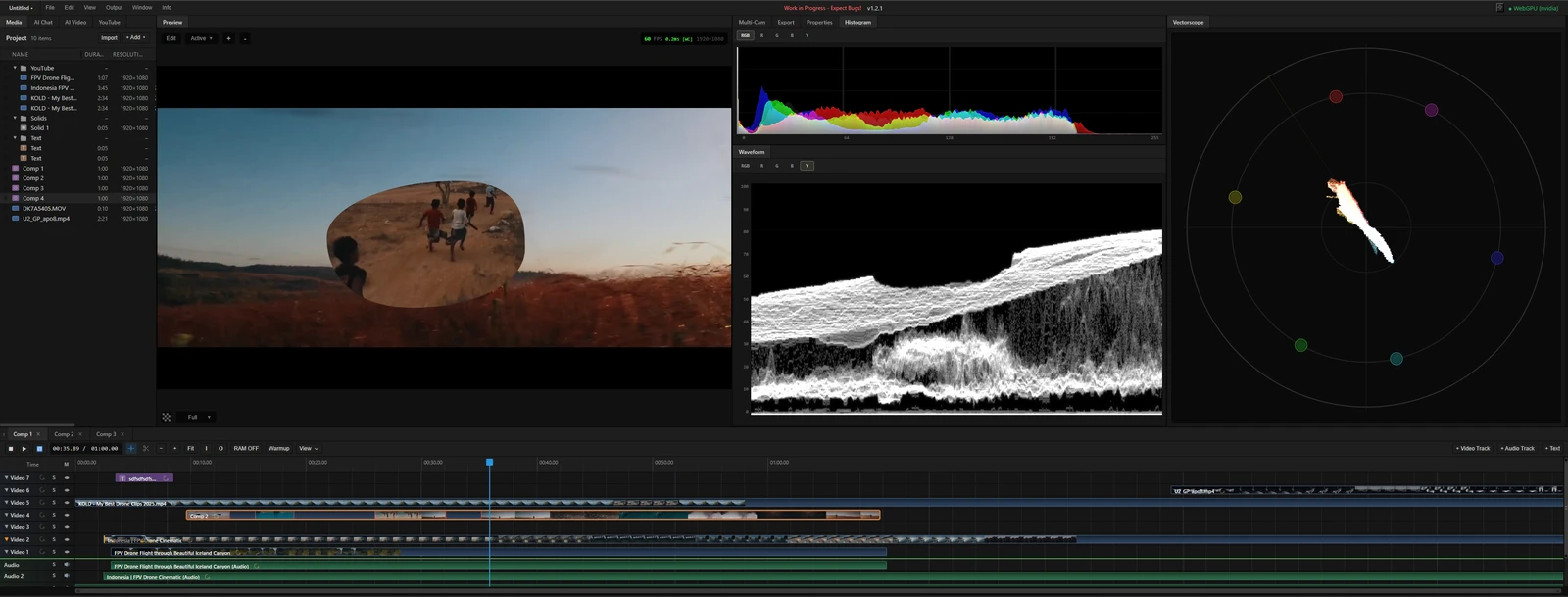 From the maker
MasterSelects
A desktop-browser media editor with a multitrack timeline, node effects and local WebGPU rendering.
ClaudeDescript alternatives
Descript alternatives need to distinguish editing spoken content by text from editing a timeline. Riverside is relevant to recording and text-led editing, VEED to browser video and captions, and Audacity to audio-track work. Compare transcript correction, speakers and editable output separately from trimming a clip.
Read moreDesign and Content App Examples
Choose a focused tool for visual assets, recording, editing or publishing.
Read moreHow vibeforthat Reviews Sources
Understand the difference between a discovery lead, a maker build record and an independently tested product.
Read more