
What is Adobe Firefly?
Adobe Firefly is Adobe’s AI creation workspace for images, video and audio. For an image task, describe the subject and style, choose a model and aspect ratio, then iterate on the generated variations.
Try one concept image and check its credit cost and usage terms before using the output in a campaign. Compare images with one brief
If the design depends on a legible headline inside the image, run the same brief in Ideogram and inspect the letters at the final size.
Official website: firefly.adobe.comAdobe Firefly: free features & limits
What's free: Generate images using the ongoing free allowance.
Limits: Daily generations are limited; premium models and features may require credits.
Signup requiredWhy this tool & pricing source
Useful for exploring image ideas with Adobe's own creation tools.
Official pricing checked: · Not a hands-on test
Official plan & conditions ↗Limits to check before you start
- Free daily generations are limited; no universal daily number is stated here.
- Model availability and premium-feature credit costs differ.
What can you use it for?
- A mood-board visual or a concept image for a draft.
Who is it for?
- Creators exploring visual concepts through text prompts.
How to use it
- Sign in to Firefly and open Generate image.
- Describe a subject and style; choose an available model and aspect ratio.
- Generate, inspect the variations and refine the prompt.
Core features
- Text-to-image generation.
- Model-dependent style and aspect-ratio controls.
- Adobe and partner model options with different access conditions.
Benefits
- Use model-specific controls to iterate on visual variations.
Frequently asked questions
Is free access only a trial?
Adobe separately offers limited daily free generations without buying a plan.
Are all model settings identical?
No. Adobe’s guide states that available settings vary by model.
Pricing & plans
The ongoing free allowance refreshes daily. Paid tiers add credits and access; a paid trial is separate from free daily use.
View official pricingCompany & contact information
- Company / team
- Adobe
Product images
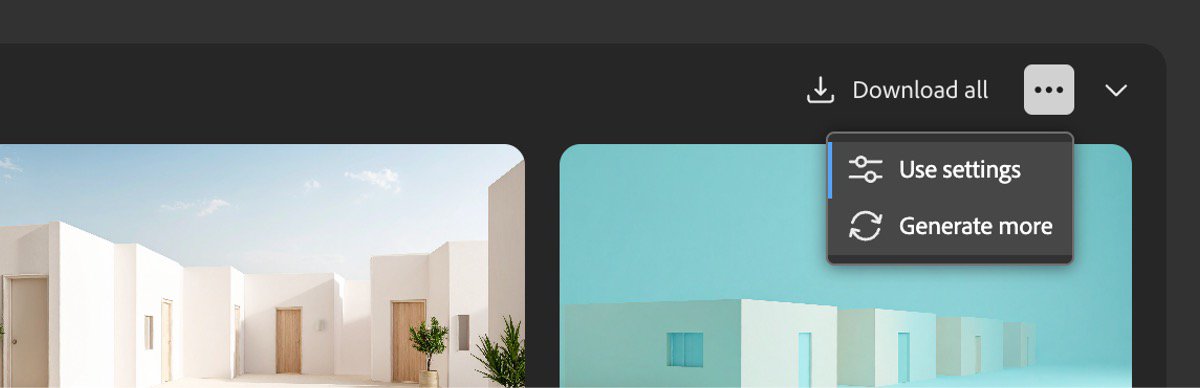
Open an image for the full view. These official product previews, documentation, interfaces and examples may include paid features; check the relevant plan.
Sources
Compiled from the linked official pricing and help pages, not a hands-on product test. Check current features, allowances and rights at the source.
- Adobe Firefly plans and free daily generationshttps://www.adobe.com/products/firefly/plans.html
- Generate images from text descriptionshttps://helpx.adobe.com/uk/firefly/web/work-with-images/generate-images/generate-images-from-text-descriptions.html
- Adobe Firefly — Firefly image-generation history and controlshttps://helpx.adobe.com/firefly/web/work-with-images/generate-images/generate-images-from-text-descriptions.html
Tool Info
Has this tool changed? Help us keep it up to date
Adobe Firefly Reviews
Loading reviews…