
ALTERNATIVES
Whimsical Alternatives for Flowcharts and Editable Diagrams
Compare Whimsical alternatives for flowcharts and Editable Diagrams. Check editing, collaboration and diagram exports.
On this page
The short version
| Option | A useful starting point for | Check separately |
|---|---|---|
| Tiny Little Office · AI-assisted maintenance | A small mind map passed as a document copy | No full Whimsical docs/wireframe migration verified |
| draw.io · established software | Structured diagrams with an editable file | File location and data in exported images |
| Excalidraw · established software | Loose sketches and a live drawing canvas | Layout needs, room access and saved source |
An AI-built option
1 projectEstablished options to compare

draw.io
A diagram editor with editable diagram files and several export routes.
Decide where the editable source will live and whether an exported image also contains that source.
Visit official site
Excalidraw
A hand-drawn-style canvas with a documented live collaboration mode.
Check room access, persistence and editable files separately from a PNG or SVG export.
Visit official site Tiny Little Office/Whimsical
01Start with the artifact: map, diagram or wireframe.
02A picture may omit the source needed for the next edit.
03Evaluate real-time collaboration separately.
Try one workflow before switching
Recreate a small flowchart with one branch. Share an editable copy with a teammate and export a version for documentation. Check how you would revise the diagram after handoff.
Choose the next artifact you need to make
A mind map, a process diagram and a wireframe are not interchangeable. Start with the next artifact and the person who will edit it after you. Tiny Little Office provides a small diagram route; draw.io is a structured diagram editor; Excalidraw is useful for a sketch-like canvas. None of those labels establishes a migration of every Whimsical document or board type.
Keep the editable source with the picture
Draw.io documents several save and export formats. Decide whether the recipient needs an editable diagram file or only an image, and check whether source data is included in the format you choose. A screenshot can communicate the final layout while losing the nodes and connectors needed for the next edit. Keep the original until the destination file has been reopened.
A small map can use a much lighter handoff
Our Tiny Little Office sample has one starting idea and two branches. The full link reopened the same content in a second tab. Editing that copy did not change the original. That can suit a small planning handoff with separate revisions, but it does not establish automatic sync, a wireframe library or a linked-document workspace.
Check the editor and the working session separately
A diagram editor may fit the artifact while leaving team collaboration elsewhere. Excalidraw documents a live mode; Tiny Little Office full links work as copies. If people need a shared session, voting or facilitation, compare the Miro-focused guide as a separate decision. Keep plan-specific limits and storage terms tied to current publisher documentation.
How to use this comparison
Run the same small workflow in your shortlisted products: keep the input, output and required integration the same. The table records documented scope; it does not report a side-by-side product test.
A few more details
Which option should I check for an editable diagram file?
Compare draw.io’s documented save formats and Excalidraw’s editable source alongside any exported picture. Tiny Little Office’s full link also carries its own document model, but it is not a universal import format.
Are all of these apps AI-built?
Only entries with an original maker record carry that attribution. Established products are listed separately and are not assigned an AI-build label.
Sources & maker notes
The AI-build attribution applies only to products with a linked maker record. Other options use the publisher’s current product documentation; prices and plans should be checked at the source.
Related guides & projects
View all
Miro Alternatives for Collaborative Whiteboards
Compare Miro alternatives for collaborative Whiteboards. Check guest access, simultaneous editing and handoff.
Read moreSoftware Alternatives by Product
Start with a product you use and compare replacement workflows, supported tasks and what you would need to migrate.
Read moreDesign and Content App Examples
Choose a focused tool for visual assets, recording, editing or publishing.
Read more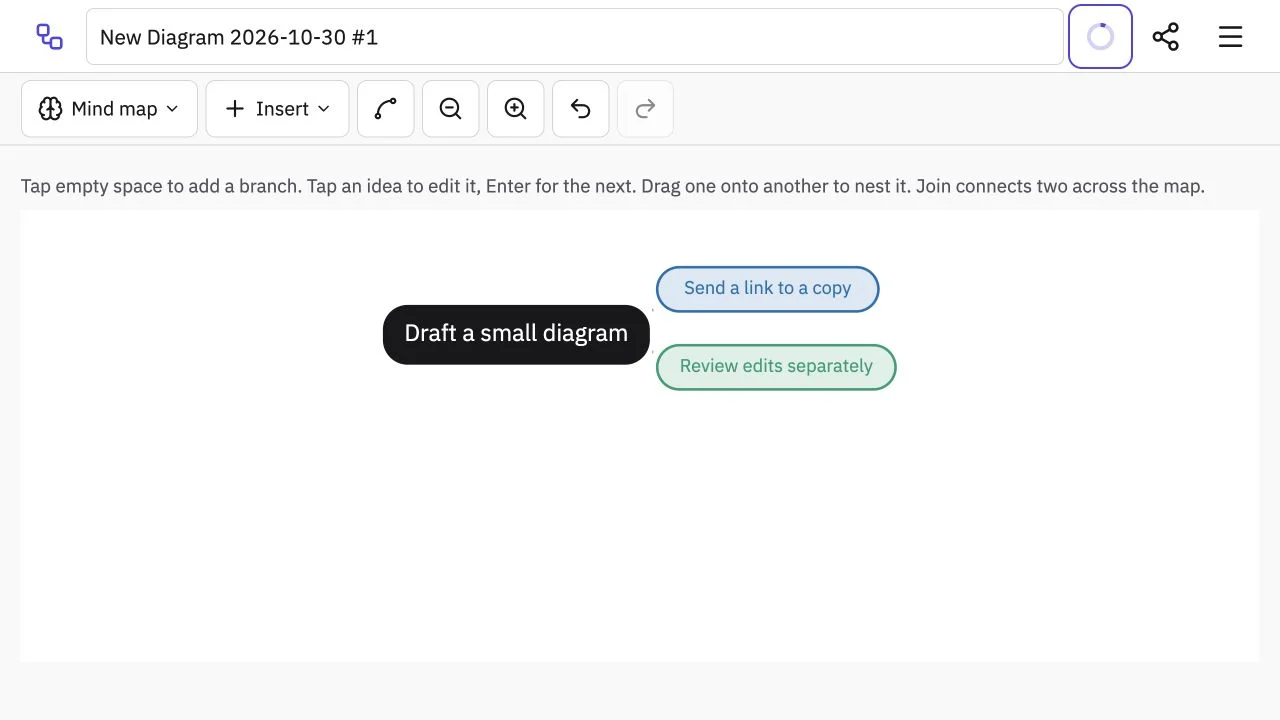 Site capture
Tiny Little Office
A browser suite for small documents and diagrams whose full links carry a copy of the document.
ClaudeTiny Little Office vs Whimsical
Compare a small map document with the diagram, wireframe and collaboration requirements.
Read moreHow vibeforthat Reviews Sources
Understand the difference between a discovery lead, a maker build record and an independently tested product.
Read more