
ALTERNATIVES
Miro Alternatives for Collaborative Whiteboards
Compare Miro alternatives for collaborative Whiteboards. Check guest access, simultaneous editing and handoff.
On this page
The short version
| Option | A useful starting point for | Check separately |
|---|---|---|
| Tiny Little Office · AI-assisted maintenance | Send a small document as a full-link copy | Copy revisions are separate; no live room established |
| Excalidraw · established software | Draw together on a sketch-style canvas | Room access, persistence and editable source |
| Mural · established software | Facilitated meetings with voting and a timer | Participant permissions and current plan terms |
An AI-built option
1 projectEstablished options to compare

Excalidraw
A hand-drawn-style canvas with a documented live collaboration mode.
Check room access, persistence and editable files separately from a PNG or SVG export.
Visit official site
Mural
A shared workspace with facilitation tools such as voting and a timer.
Check current participant permissions and plan terms against an actual workshop.
Visit official site Tiny Little OfficeMiro
Choose a handoff before choosing a canvas
01A link copy and a live room solve different problems.
02Our small test kept the original and copy independent.
03Preserve an editable source beyond the final picture.
Try one workflow before switching
Invite a guest to a test board with a diagram and notes. Try editing together, then export the version you want to hand over and check whether it can be reopened.
What must happen while everyone is present?
For a workshop, list who joins, whether guests can edit, what the facilitator controls and how the result is kept. Mural documents a timer and voting; Excalidraw documents live collaboration. Those are different requirements from sending a finished diagram to a colleague. A portable document can be useful without becoming a complete Miro workshop replacement.
What happened in our small link test
We created a three-node mind map in Tiny Little Office, reopened the full link in another tab, and changed one node in the copy. The original still showed the old wording. This supports a snapshot-and-revision workflow in that small case; it is not a simultaneous-editing test or a workshop benchmark.
Name the version you are handing over
A full Tiny Little Office link carries the document that was copied. After a recipient edits it, a new link represents that revision. Agree which version will be reviewed and who merges later changes. For live drawing, check the chosen room’s persistence instead. Keep an editable source when an exported picture is only the final deliverable.
Full links and optional services are separate paths
The project distinguishes a full link from optional encrypted short links and social previews, which use server-backed paths. Our test used only full links and did not evaluate encryption, exports or large documents. Compare the workflow you will actually use, including current participant limits or service terms, before moving a team board.
How to use this comparison
Run the same small workflow in your shortlisted products: keep the input, output and required integration the same. The table records documented scope; it does not report a side-by-side product test.
A few more details
Is a copied document link a live collaborative board?
No. Our two-tab sample retained independent revisions. Compare a product with a documented live collaboration mode when everyone must edit the same board at once.
Are all of these apps AI-built?
Only entries with an original maker record carry that attribution. Established products are listed separately and are not assigned an AI-build label.
Sources & maker notes
The AI-build attribution applies only to products with a linked maker record. Other options use the publisher’s current product documentation; prices and plans should be checked at the source.
Related guides & projects
View allVibe Coding Projects with Documented Builds
Browse documented vibe coding projects by output or builder. Open the live project and the original maker account to see what the build covered.
Read moreSoftware Alternatives by Product
Start with a product you use and compare replacement workflows, supported tasks and what you would need to migrate.
Read moreDesign and Content App Examples
Choose a focused tool for visual assets, recording, editing or publishing.
Read more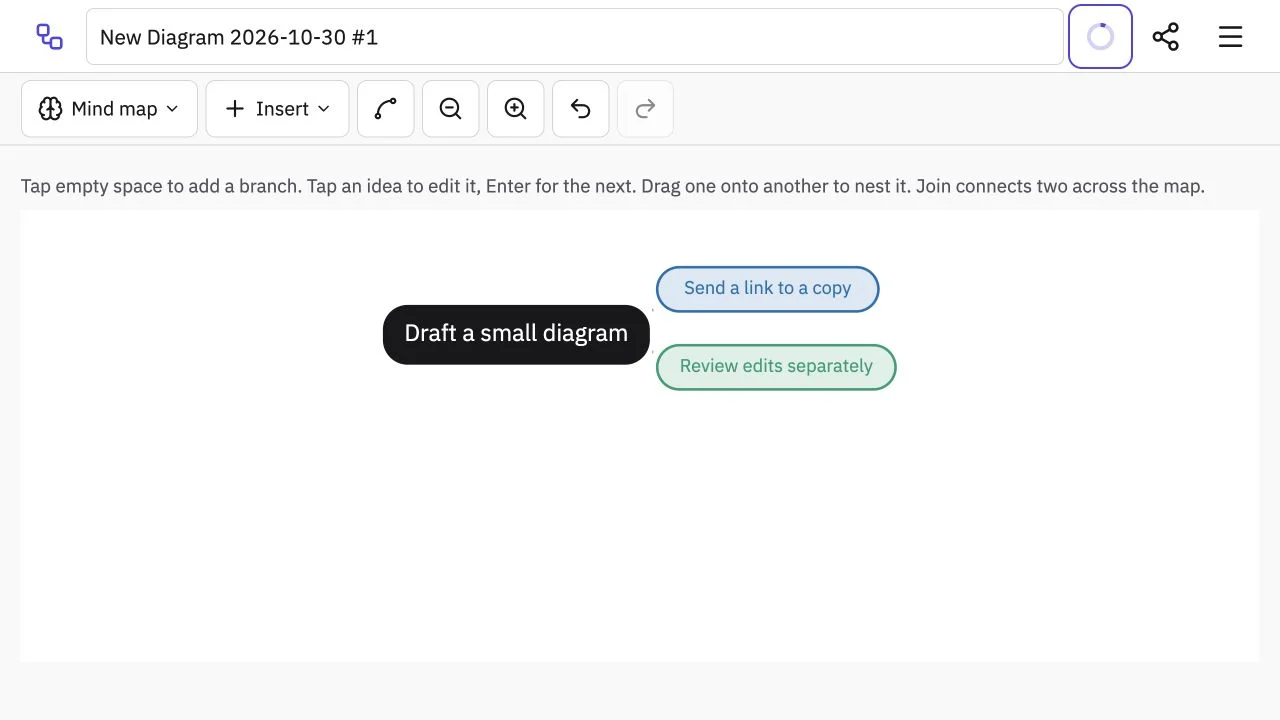 Site capture
Tiny Little Office
A browser suite for small documents and diagrams whose full links carry a copy of the document.
ClaudeTiny Little Office vs Miro
Compare a document-copy handoff with simultaneous work in a shared room.
Read moreHow vibeforthat Reviews Sources
Understand the difference between a discovery lead, a maker build record and an independently tested product.
Read more