
ALTERNATIVES
Calendly Alternatives for Booking Links and Calendars
Compare Calendly alternatives for booking Links and Calendars. Check available slots, guest experience and plan limits.
On this page
The short version
| Option | Choose it for | Check first |
|---|---|---|
| Your Calendar · AI-built project | Availability links, buffers and maker-described team modes | Supported calendar providers; current team entitlement |
| Cal.com · established software | Connected-calendar conflict selection and booking destination | Individual versus paid team event modes |
| SavvyCal · established software | Guest calendar overlay and individual or team scheduling | Bookable links need a paid plan; supported providers |
An AI-built option
1 projectEstablished options to compare

Cal.com
Appointment links with multiple connected calendars, per-calendar conflict checking and separate team event modes.
Consider it when the calendars used to check conflicts and the calendar receiving new bookings need explicit control. Team rotation and collective events are listed on paid team tiers.
Visit official site
SavvyCal
Scheduling links with guest calendar overlay, availability controls, and individual or team booking modes.
Consider it when seeing a guest’s own calendar beside your availability would improve the booking flow. Publishing bookable links needs a paid plan; free setup is a different stage.
Visit official site Your CalendarCal.com
Follow an appointment to its calendar
01The meeting model determines the availability rules.
02Conflict checking and event destination are separate settings.
03A free setup stage may not produce a bookable link.
Try one workflow before switching
Create the appointment you book most often. Try booking, rescheduling and canceling as a guest. Check the real calendar event and the confirmation received by both sides.
Start with the kind of meeting
A guest picking one appointment, a rotating sales team and a meeting requiring two hosts use different availability rules. Your Calendar’s maker describes all three kinds, but team functions sit on a different plan. Ask which hosts must attend before comparing a feature checklist.
Check both sides of a calendar connection
The calendar checked for conflicts and the calendar receiving a new booking need not be the same. Cal.com documents both controls. SavvyCal documents Google, Microsoft 365, iCloud and Fastmail, with explicit exclusions for self-hosted CalDAV and Exchange. Your Calendar’s inspected product page did not establish its provider list.
Check the bookable link, not just account setup
For a free Calendly alternative, inspect what a guest can book after setup. SavvyCal’s free preparation stage does not activate bookable scheduling links. Cal.com separates individual use from team entitlements. Check event types, hosts and the connected calendars you need at the current plan page; this comparison does not certify an unlimited free service.
Try the last steps of the appointment
- View the same time in the organizer’s zone and the guest’s zone, including a daylight-saving change if it affects you.
- Check confirmation, cancellation and rescheduling as separate actions. A visible date picker does not establish invitation delivery.
- If the task is collecting several people’s availability first, use a group poll rather than assuming an appointment link covers it.
How to use this comparison
Run the same small workflow in your shortlisted products: keep the input, output and required integration the same. The table records documented scope; it does not report a side-by-side product test.
A few more details
Can I replace a group poll with a booking link?
They answer different questions. A booking link offers an organizer’s available slots; a group poll gathers people’s choices before selecting a shared time.
Was a real appointment booked here?
Only the public Your Calendar widget was inspected. No contact details, chosen slot, calendar connection or confirmation was submitted.
Are all of these apps AI-built?
Only entries with an original maker record carry that attribution. Established products are listed separately and are not assigned an AI-build label.
Sources & maker notes
The AI-build attribution applies only to products with a linked maker record. Other options use the publisher’s current product documentation; prices and plans should be checked at the source.
- Manuel Silverio — building Your Calendar with Lovable and Codex
- Your Calendar official product and plans
- Your Calendar public demo booking entry
- Your Calendar public booking widget
- Cal.com official documentation
- SavvyCal official documentation
- Cal.com general settings
- Cal.com current plan comparison
- SavvyCal setting your time zone
- SavvyCal team scheduling
- SavvyCal current plan comparison
- Calendly scheduling product
Related guides & projects
View all
Doodle Alternatives for Group Scheduling Polls
Compare Doodle alternatives for group Scheduling Polls. Check guest voting, editing responses and calendar handoff.
Read moreSoftware Alternatives by Product
Start with a product you use and compare replacement workflows, supported tasks and what you would need to migrate.
Read moreScheduling App Examples
Find a focused way to coordinate availability, registrations and reminders.
Read more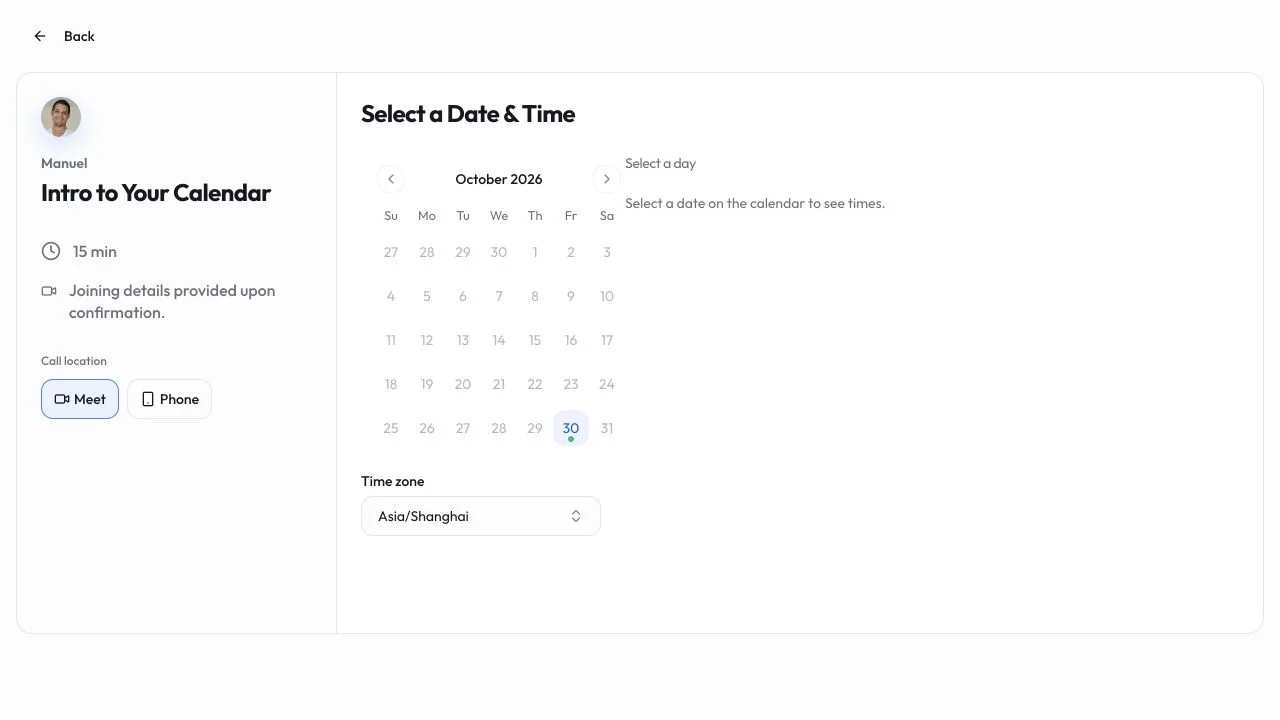 Site capture
Your Calendar
Publish availability and let guests choose an appointment, with maker-described individual and team booking flows.
Lovable · CodexYour Calendar vs Calendly
Both address appointment links. Your Calendar has a public booking widget and maker-described team modes; supported calendar providers and connected-calendar conflict handling need a separate check.
Read moreHow vibeforthat Reviews Sources
Understand the difference between a discovery lead, a maker build record and an independently tested product.
Read more