
ALTERNATIVES
Cal.com Alternatives for Scheduling and Hosting
Compare Cal.com alternatives for scheduling and Hosting. Check calendar connections, booking rules and hosting effort.
On this page
The short version
| Option | Documented focus | Check before moving |
|---|---|---|
| Your Calendar · AI-assisted project | Set availability, meeting durations and buffer time, then share a booking link. | Meeting availability and guest booking; service packages, payment handling and migration are separate checks. |
| Calendly | Meeting booking and scheduling workflows | Evaluate calendar conflicts and timezones. |
| TidyCal | Booking pages and calendar-based appointments | Evaluate routing and staff availability. |
| Acuity Scheduling | Service appointments, intake and scheduling | Evaluate reschedules, cancellations and payments. |
An AI-built option
1 projectEstablished options to compare

Calendly
Meeting booking and scheduling workflows
Evaluate calendar conflicts and timezones.
Visit official site
TidyCal
Booking pages and calendar-based appointments
Evaluate routing and staff availability.
Visit official siteAcuity Scheduling
Service appointments, intake and scheduling
Evaluate reschedules, cancellations and payments.
Visit official siteCal.com/Calendly01Compare one routed team booking and the integration that consumes its webhook; include a reschedule and a duplicate event.
02Calendar synchronization, routing and payment handling are separate integrations. Confirm what happens to existing bookings before changing the public booking link.
Try one workflow before switching
Test one appointment across two time zones. Reschedule it from the guest side and confirm both calendars reflect the change. Include the effort of operating the service if hosting is part of your decision.
Choose the part of Cal.com you need to replace
Cal.com alternatives split between managed booking and infrastructure you can control. A hosted meeting link may be enough for an individual; an embedded scheduling product has API, routing and operational requirements. Keep the managed-service and self-hosted decisions separate.
Where Your Calendar fits
Meeting availability and guest booking; service packages, payment handling and migration are separate checks.
- The homepage names calendar integrations without listing the supported providers; the public Google Meet location does not prove a Google Calendar connection.
- Round-robin and multi-host access belong to a different plan from the basic one-event-type offer. Verify current entitlements before choosing a team setup.
Keep these requirements in the shortlist
- Calendar conflicts and timezones
- Routing and staff availability
- Reschedules, cancellations and payments
Try one representative workflow
Compare one routed team booking and the integration that consumes its webhook; include a reschedule and a duplicate event.
What to preserve during the move
Calendar synchronization, routing and payment handling are separate integrations. Confirm what happens to existing bookings before changing the public booking link.
Compare the working setup, not just the starting plan
Use the publisher’s current plan and deployment documentation for a real quote. Count the people, usage and required integrations in this workflow, then include migration and ongoing ownership. The options are organized by task, not claimed to be the cheapest.
How to use this comparison
Run the same small workflow in your shortlisted products: keep the input, output and required integration the same. The table records documented scope; it does not report a side-by-side product test.
A few more details
How should I evaluate a Cal.com alternative?
Compare one routed team booking and the integration that consumes its webhook; include a reschedule and a duplicate event. Calendar synchronization, routing and payment handling are separate integrations. Confirm what happens to existing bookings before changing the public booking link.
Are all of these apps AI-built?
Only entries with an original maker record carry that attribution. Established products are listed separately and are not assigned an AI-build label.
Sources & maker notes
The AI-build attribution applies only to products with a linked maker record. Other options use the publisher’s current product documentation; prices and plans should be checked at the source.
- Manuel Silverio — building Your Calendar with Lovable and Codex
- Your Calendar official product and plans
- Your Calendar public demo booking entry
- Your Calendar public booking widget
- Calendly — official product and workflow documentation
- TidyCal — official product and workflow documentation
- Acuity Scheduling — official product and workflow documentation
- Cal.com — official product and workflow documentation
Related guides & projects
View allCalendly Alternatives for Booking Links and Calendars
Compare Calendly alternatives for booking Links and Calendars. Check available slots, guest experience and plan limits.
Read moreSoftware Alternatives by Product
Start with a product you use and compare replacement workflows, supported tasks and what you would need to migrate.
Read moreScheduling App Examples
Find a focused way to coordinate availability, registrations and reminders.
Read more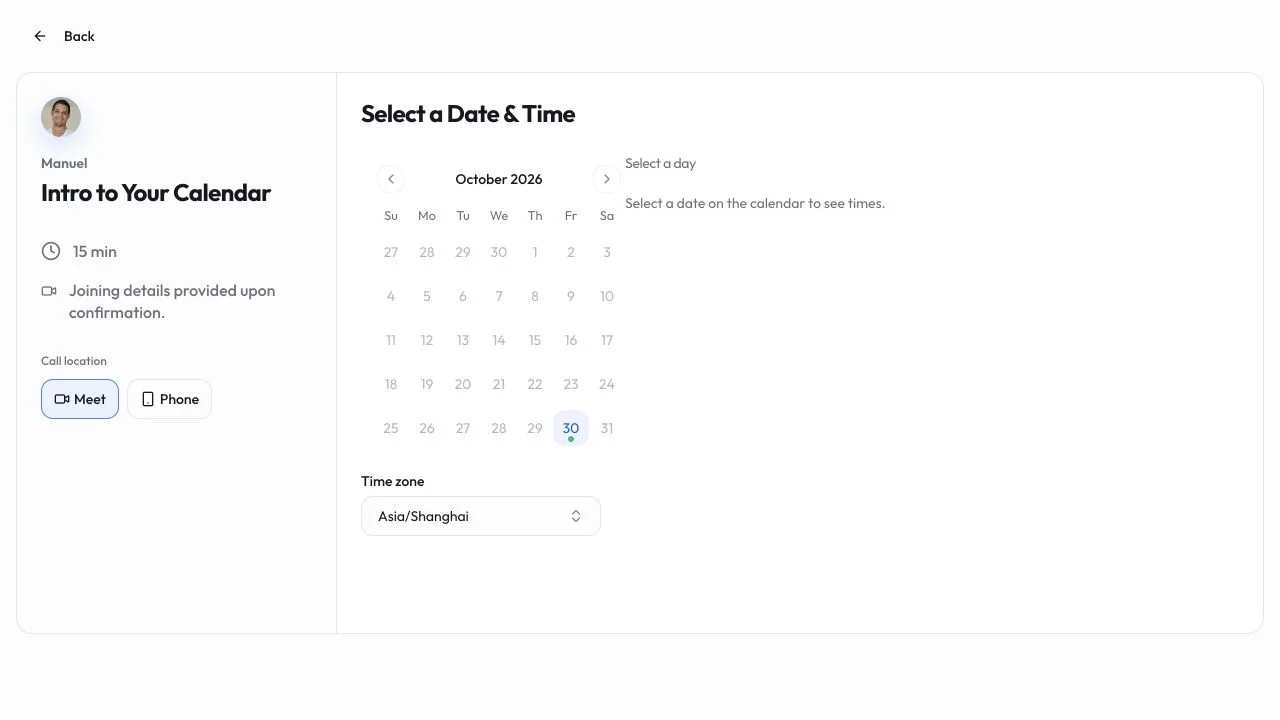 Site capture

Your Calendar
Publish availability and let guests choose an appointment, with maker-described individual and team booking flows.
Lovable · CodexYour Calendar vs Cal.com
Meeting availability and guest booking; service packages, payment handling and migration are separate checks.
Read moreHow vibeforthat Reviews Sources
Understand the difference between a discovery lead, a maker build record and an independently tested product.
Read more