
ALTERNATIVES
Basecamp Alternatives for Project Communication
Compare Basecamp alternatives for project Communication. Check messages, team access and task handoff.
On this page
The short version
| Option | Documented focus | Check before moving |
|---|---|---|
| Open Walnut · AI-assisted project | Organize projects, folders, tasks and subtasks alongside notes and searchable memory. | Developer tasks, notes and agent sessions; document formulas, client collaboration and reporting are different requirements. |
| Asana | Team project planning and work coordination | Evaluate hierarchy, dependencies and ownership. |
| ClickUp | Tasks, projects and team work management | Evaluate guests, roles and private work. |
| Trello | Board-based tasks and team coordination | Evaluate automations, history and reporting. |
An AI-built option
1 projectEstablished options to compare
Asana
Team project planning and work coordination
Evaluate hierarchy, dependencies and ownership.
Visit official site
ClickUp
Tasks, projects and team work management
Evaluate guests, roles and private work.
Visit official siteTrello
Board-based tasks and team coordination
Evaluate automations, history and reporting.
Visit official siteBasecamp/01Invite a test guest to one project and check exactly which messages, files and tasks they can access.
02A task import can lose comments, dependencies and guest boundaries. Move a representative project first and check the views used by an assignee, a manager and an external collaborator.
Try one workflow before switching
Move one project with a discussion, a file and an upcoming task. Ask a teammate to find the latest decision and complete the task. Use the result to judge which collaboration features need to carry over.
Choose the part of Basecamp you need to replace
Basecamp alternatives should keep discussion, files and to-dos understandable to clients. Asana and ClickUp provide more structured work management; Trello offers a board-led route. Additional controls are useful only if guest access and everyday communication remain easy to follow.
Where Open Walnut fits
Developer tasks, notes and agent sessions; document formulas, client collaboration and reporting are different requirements.
- The core setup requires macOS or Linux and a configured coding agent; it is not a hosted Notion workspace.
- Notion database, formula, permission and import parity were not established.
Keep these requirements in the shortlist
- Hierarchy, dependencies and ownership
- Guests, roles and private work
- Automations, history and reporting
Try one representative workflow
Invite a test guest to one project and check exactly which messages, files and tasks they can access.
What to preserve during the move
A task import can lose comments, dependencies and guest boundaries. Move a representative project first and check the views used by an assignee, a manager and an external collaborator.
Compare the working setup, not just the starting plan
Use the publisher’s current plan and deployment documentation for a real quote. Count the people, usage and required integrations in this workflow, then include migration and ongoing ownership. The options are organized by task, not claimed to be the cheapest.
How to use this comparison
Run the same small workflow in your shortlisted products: keep the input, output and required integration the same. The table records documented scope; it does not report a side-by-side product test.
A few more details
How should I evaluate a Basecamp alternative?
Invite a test guest to one project and check exactly which messages, files and tasks they can access. A task import can lose comments, dependencies and guest boundaries. Move a representative project first and check the views used by an assignee, a manager and an external collaborator.
Are all of these apps AI-built?
Only entries with an original maker record carry that attribution. Established products are listed separately and are not assigned an AI-build label.
Sources & maker notes
The AI-build attribution applies only to products with a linked maker record. Other options use the publisher’s current product documentation; prices and plans should be checked at the source.
- Open Walnut — product scope and maker build attribution
- Open Walnut — maintainer repository
- Asana — official product and workflow documentation
- ClickUp — official product and workflow documentation
- Trello — official product and workflow documentation
- Basecamp — official product and workflow documentation
Related guides & projects
View allLinear Alternatives for Issue Tracking and Team Backlogs
Compare Linear alternatives for issue Tracking and Team Backlogs. Check issue relations, triage and workflow state.
Read moreSoftware Alternatives by Product
Start with a product you use and compare replacement workflows, supported tasks and what you would need to migrate.
Read moreProductivity App Examples
Find a practical home for notes, tasks and shared project knowledge.
Read more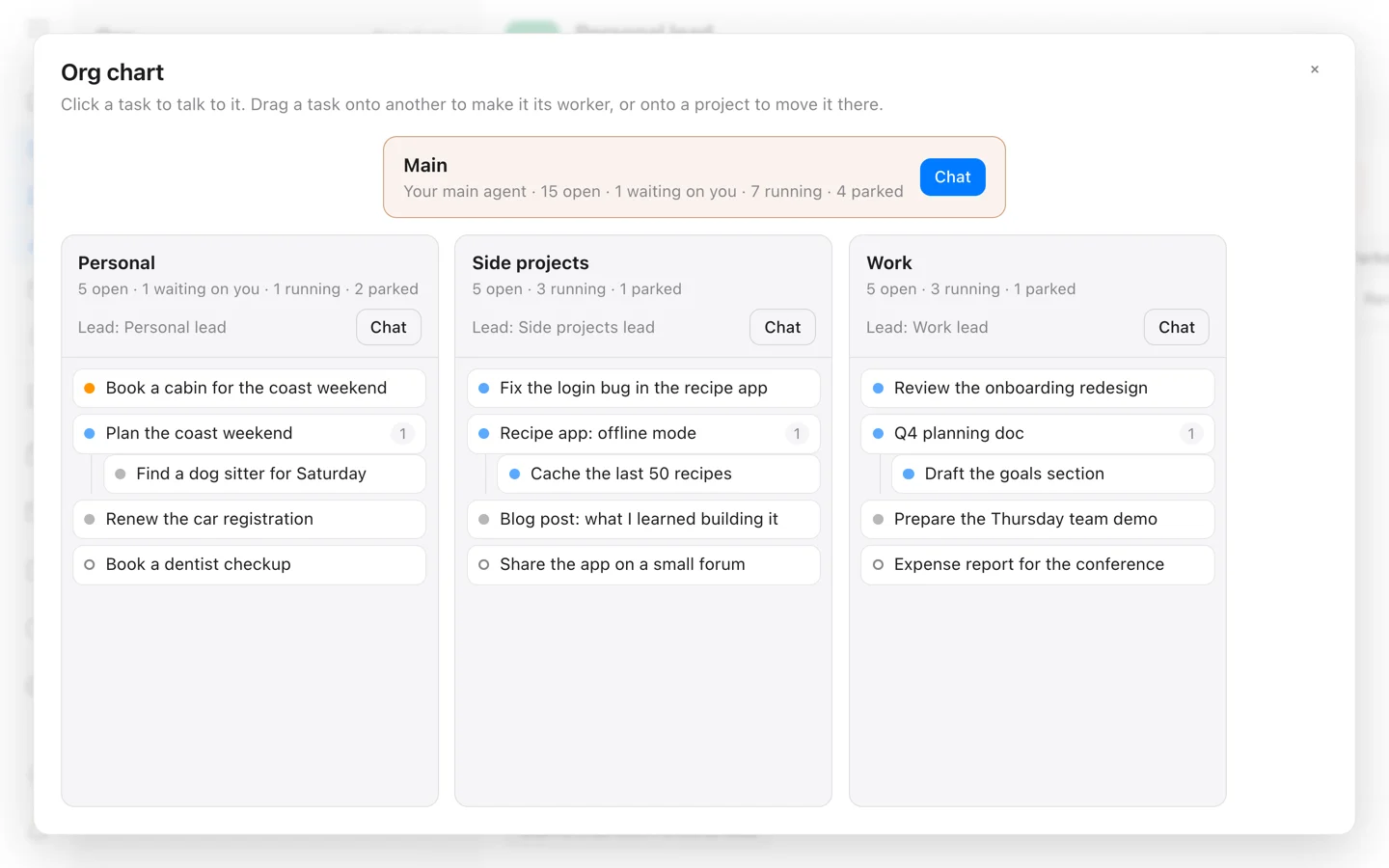 From the maker

Open Walnut
A self-hosted workspace that connects tasks, Markdown notes and local or remote coding-agent sessions.
Claude CodeOpen Walnut vs Basecamp
Developer tasks, notes and agent sessions; document formulas, client collaboration and reporting are different requirements.
Read moreHow vibeforthat Reviews Sources
Understand the difference between a discovery lead, a maker build record and an independently tested product.
Read more