
What is Synthesia?
Synthesia focuses on business video workflows such as training and communication. It combines script-driven avatars with editing and localization features; choose the output format and distribution requirements before comparing plans.
To try a short presenter draft before building the full lesson, compare the preview and export steps in HeyGen.
Official website: synthesia.ioWhich Synthesia plan fits your training video?
Use Basic to check one sample lesson. Synthesia marks Basic videos with its logo. If a learning team needs a downloadable handoff or an unbranded export, check which paid plan includes both before recording the remaining modules.
- Test the scene with the hardest pronunciation or pacing first. Send the sample to the person who will review the lesson.
- List the deliverables your team needs, such as a downloadable video or a format for your learning platform, and match them against the current plan table.
Synthesia: free features & limits
What's free: Create a limited amount of avatar-led video and share it by link.
Limits: Basic has a defined allowance and watermarked output; downloads are a paid-plan feature.
Signup requiredWhy this tool & pricing source
For testing a presenter script when link sharing is sufficient.
Official pricing checked: · Not a hands-on test
Official plan & conditions ↗Limits to check before you start
- Basic output includes a watermark and sharing restrictions.
- Video downloads and some avatars require a paid tier.
What can you use it for?
- Explain an onboarding process.
- Create a reviewed training update.
Who is it for?
- Teams preparing training or communication videos.
How to use it
- Write one short scene with a clear audience.
- Choose an avatar and preview the voice and timing.
- Review wording and check sharing or download rights.
Core features
- Create presenter-style scenes from a script.
- Use available templates, dubbing and translation workflows.
Benefits
- Create presenter-style scenes from a script.
Frequently asked questions
Does Free include video downloads?
The reviewed comparison adds downloads in a paid tier.
Should I preview pronunciation?
Yes. Check names, abbreviations and timing before publishing.
Pricing & plans
The current Basic plan is $0 with a defined allowance. Check credits, watermark, download and commercial conditions separately.
View official pricingCompany & contact information
- Company / team
- Synthesia
- Official documentation
- https://www.synthesia.io/pricing
Product images
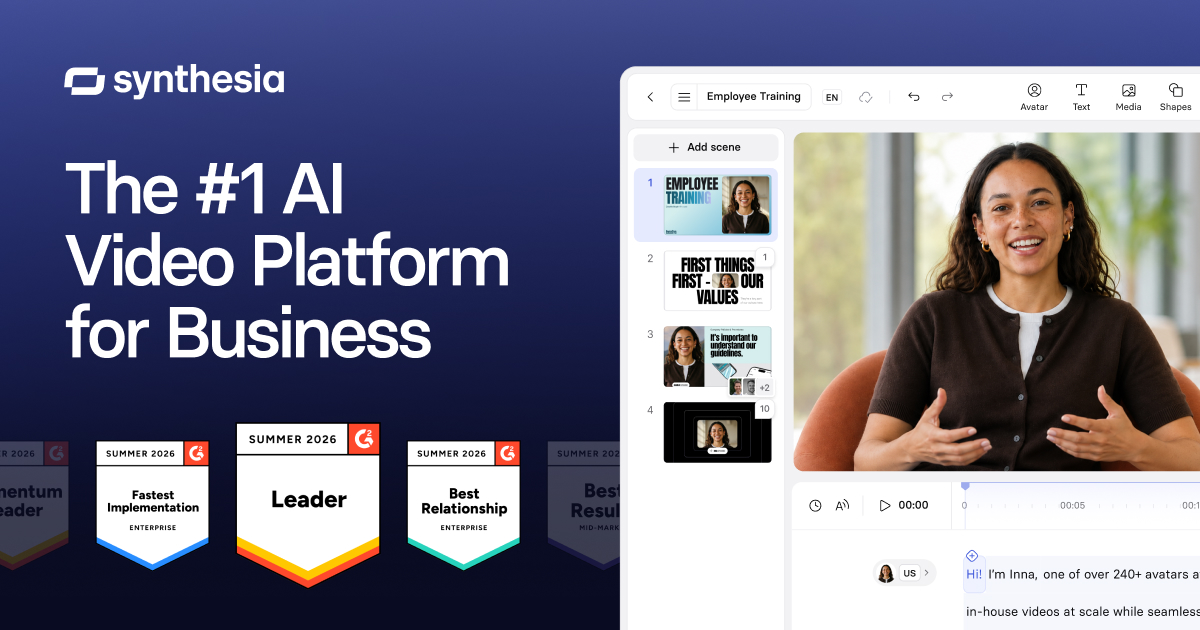
Open an image for the full view. These official product previews, documentation, interfaces and examples may include paid features; check the relevant plan.
Sources
Compiled from the linked official pricing and help pages, not a hands-on product test. Check current features, allowances and rights at the source.
- Synthesia — official product documentationhttps://www.synthesia.io/
- Synthesia — official plans and helphttps://www.synthesia.io/pricing
Tool Info
Has this tool changed? Help us keep it up to date
Synthesia Reviews
Loading reviews…