
What is Luma AI?
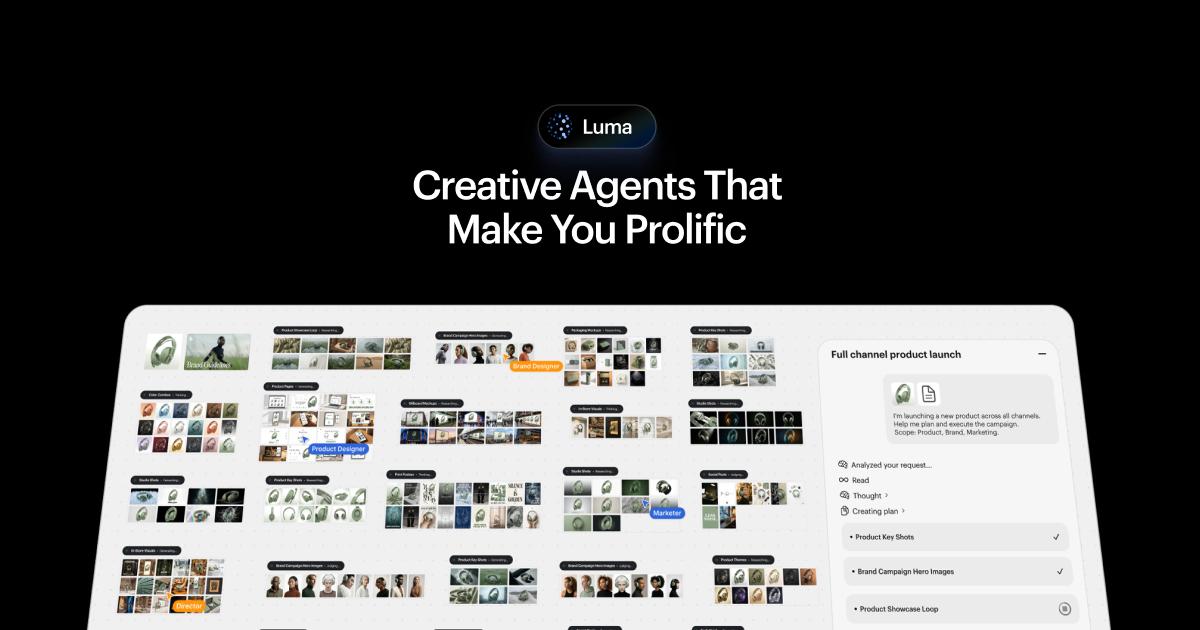
The Dream Machine product route now leads to Luma’s broader creative platform. It brings media generation and editing into an agent-assisted workflow, with model-specific costs and collaboration options.
If you are choosing an image-to-video workflow, run the same reference and motion brief in Dream Machine and Runway and compare subject consistency, the time to a usable clip and export conditions.
Official website: lumalabs.aiWhat should you compare before upgrading?
Start with one reference image you can share. Select the model, resolution and clip length, then check the credit cost before generating. Use the current Luma price list and your account’s subscription screen to check which plan covers the work.
- Check the monthly allowance in your current plan. Luma’s app billing policy says unused subscription credits expire at the end of the billing cycle. Confirm the commercial terms for your plan before using the output in client work.
Limits to check before you start
- Older Dream Machine plan descriptions may no longer match the current service.
- Credits, resolution and model choice affect output costs.
What can you use it for?
- Explore a short image-to-video sequence.
- Iterate on a shared visual brief.
Who is it for?
- Creative professionals organizing image and video work.
How to use it
- Open the current Luma creative workspace.
- Provide a short brief and approved reference media.
- Review model costs and inspect the generated sequence.
Core features
- Plan and iterate on media through creative agents.
- Use available image/video models and collaboration tools.
Benefits
- Plan and iterate on media through creative agents.
Frequently asked questions
Is the old Dream Machine plan description still reliable?
Use the current Luma product and pricing pages instead.
Do all models cost the same credits?
No. Check the model and output settings before generating.
Pricing & plans
The current page lists paid individual and business plans. Check credit rates and commercial permissions for the selected workflow.
View official pricingCompany & contact information
- Company / team
- Luma AI
- Official documentation
- https://lumalabs.ai/pricing
Product images
Open an image for the full view. These official product previews, documentation, interfaces and examples may include paid features; check the relevant plan.
Sources
Compiled from the linked official pricing and help pages, not a hands-on product test. Check current features, allowances and rights at the source.
- Luma — official product documentationhttps://lumalabs.ai/dream-machine
- Luma — official plans and helphttps://lumalabs.ai/pricing
- Luma — Luma — publisher-provided product or documentation preview; not a hands-on test.https://lumalabs.ai/app
Tool Info
Has this tool changed? Help us keep it up to date
Luma AI Reviews
Loading reviews…