
ALTERNATIVES
Tally form alternatives
Tally’s document-style editor is the starting point. Choose Fillout when a form must update connected records, Typeform for a guided question flow, or Google Forms for a straightforward Sheets handoff. Unlimited-looking headline allowances do not answer questions about files, branding or paid integrations.
On this page
The short version
| Option | Documented focus | Check before moving |
|---|---|---|
| DummyForms · AI-assisted project | Create online forms | A smaller form-and-submissions workflow; do not assume database updates, payments or advanced research logic. |
| Fillout | Forms connected to operational data | Evaluate branching and validation. |
| Typeform | Guided forms and interactive questionnaires | Evaluate response and file allowances. |
| Google Forms | Questionnaires with a Google Sheets workflow | Evaluate destination records and notifications. |
An AI-built option
1 projectEstablished options to compare
Fillout
Forms connected to operational data
Evaluate branching and validation.
Visit official site
Typeform
Guided forms and interactive questionnaires
Evaluate response and file allowances.
Visit official site
Google Forms
Questionnaires with a Google Sheets workflow
Evaluate destination records and notifications.
Visit official siteTally/01Rebuild one conditional form with a file question; compare the submitted record, notification and exported columns.
02A response export can lose logic, files and integrations. Rebuild those separately, and check whether limits apply to forms, submissions, storage or a workspace.
Choose the part of Tally you need to replace
Tally’s document-style editor is the starting point. Choose Fillout when a form must update connected records, Typeform for a guided question flow, or Google Forms for a straightforward Sheets handoff. Unlimited-looking headline allowances do not answer questions about files, branding or paid integrations.
Where DummyForms fits
A smaller form-and-submissions workflow; do not assume database updates, payments or advanced research logic.
- Advanced branching, integrations, exports, quotas, and current pricing have not been tested
- SMS notifications were described as planned in the historical interview, so they are not included as a present capability
Keep these requirements in the shortlist
- Branching and validation
- Response and file allowances
- Destination records and notifications
Try one representative workflow
Rebuild one conditional form with a file question; compare the submitted record, notification and exported columns.
What to preserve during the move
A response export can lose logic, files and integrations. Rebuild those separately, and check whether limits apply to forms, submissions, storage or a workspace.
Compare the working setup, not just the starting plan
Compare submissions, uploaded storage, branding and integration access with the same monthly form workload. Read the current limits at the publisher; a free form editor may have paid operational requirements.
How to use this comparison
Run the same small workflow in your shortlisted products: keep the input, output and required integration the same. The table records documented scope; it does not report a side-by-side product test.
A few more details
How should I evaluate a Tally alternative?
Rebuild one conditional form with a file question; compare the submitted record, notification and exported columns. A response export can lose logic, files and integrations. Rebuild those separately, and check whether limits apply to forms, submissions, storage or a workspace.
Are all of these apps AI-built?
Only entries with an original maker record carry that attribution. Established products are listed separately and are not assigned an AI-build label.
Sources & maker notes
The AI-build attribution applies only to products with a linked maker record. Other options use the publisher’s current product documentation; prices and plans should be checked at the source.
Related guides & projects
View allSoftware Alternatives by Product
Start with a product you use and compare replacement workflows, supported tasks and what you would need to migrate.
Read moreForm Builder App Examples
Create a form, share it and collect responses. Compare the input experience and the work you need to do with the results.
Read more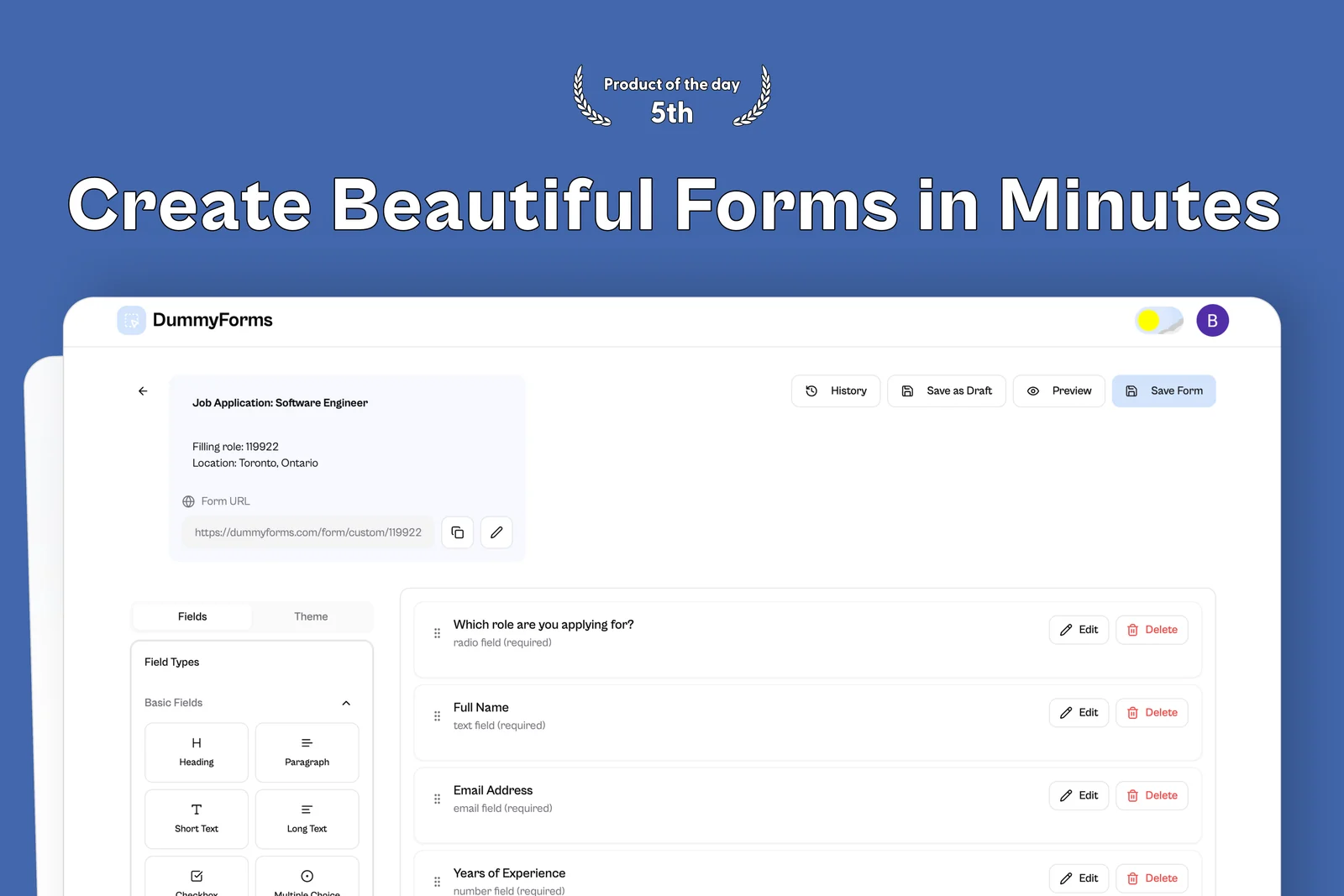 From the maker

DummyForms
A form builder for creating, sharing, and managing online forms and their submissions.
LovableDummyForms vs Tally
A smaller form-and-submissions workflow; do not assume database updates, payments or advanced research logic.
Read moreHow vibeforthat Reviews Sources
Understand the difference between a discovery lead, a maker build record and an independently tested product.
Read moreSubmit Your App, AI Tool or Vibe-Coded Project
Submit an app, AI tool or development resource with a clear product link, useful description and source for any build claim.
Read more