ALTERNATIVES
Open Walnut vs Coda
Developer tasks, notes and agent sessions; document formulas, client collaboration and reporting are different requirements.
On this page
Open Walnut/ Coda
01Developer tasks, notes and agent sessions; document formulas, client collaboration and reporting are different requirements.
02Rebuild one doc with a relation, a formula and a button; check what a collaborator can read and change.
The shared task
Developer tasks, notes and agent sessions; document formulas, client collaboration and reporting are different requirements.
Inside Open Walnut
- Organize projects, folders, tasks and subtasks alongside notes and searchable memory.
- Open and review coding-agent sessions, files and per-session changes in a web interface.
- Use a local data directory and documented connections to separately configured agents or SSH hosts.
Before relying on it
- The core setup requires macOS or Linux and a configured coding agent; it is not a hosted Notion workspace.
- Notion database, formula, permission and import parity were not established.
- Local storage describes where records live. Check the selected model provider separately before assuming agent requests stay local.
Run a small comparison
Rebuild one doc with a relation, a formula and a button; check what a collaborator can read and change.
A few more details
Does Open Walnut replace the full Coda suite?
Developer tasks, notes and agent sessions; document formulas, client collaboration and reporting are different requirements.
Sources & maker notes
Related guides & projects
View all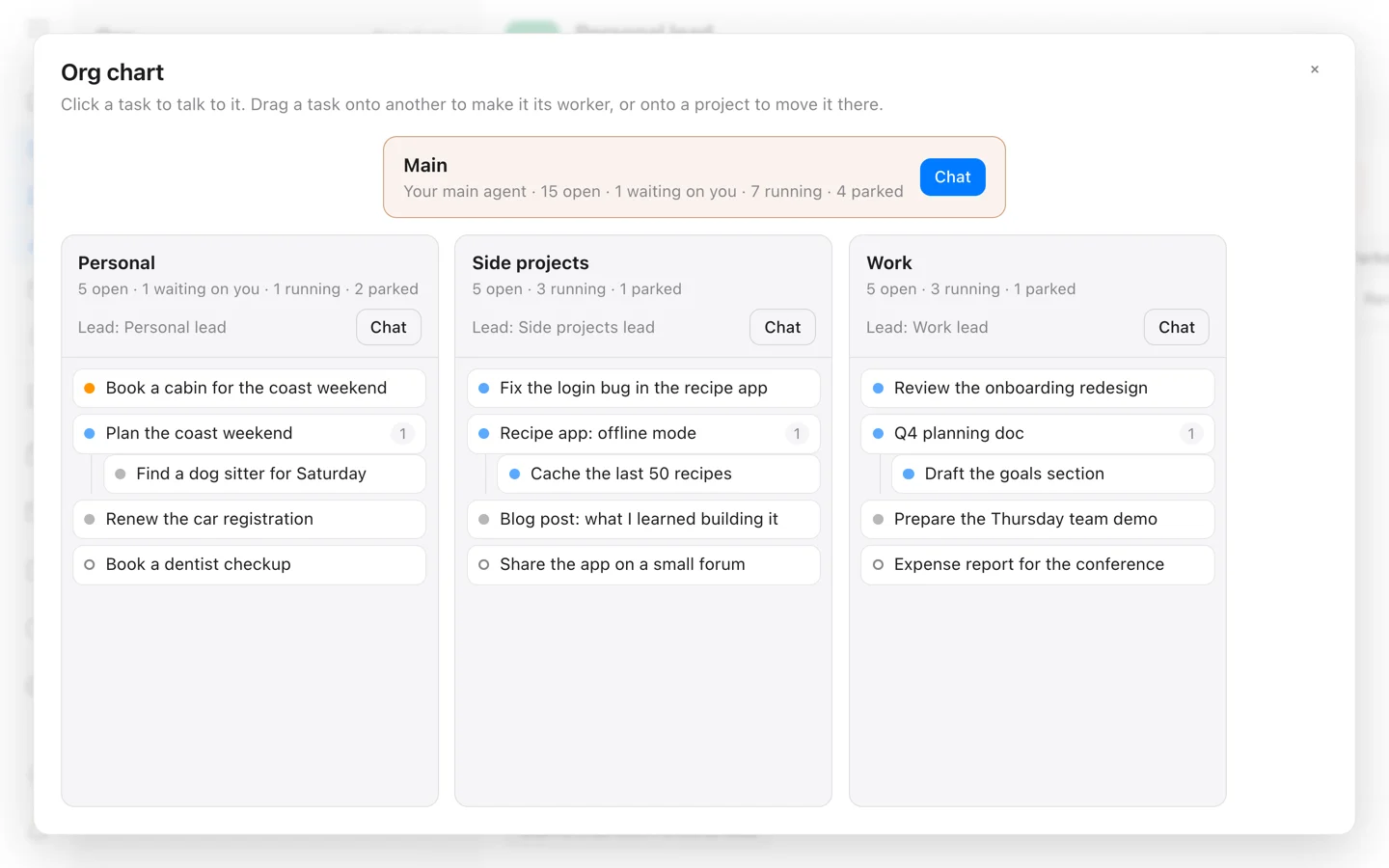 From the maker
Open Walnut
A self-hosted workspace that connects tasks, Markdown notes and local or remote coding-agent sessions.
Claude CodeCoda Alternatives for Shared Docs and Tables
Compare Coda alternatives for shared Docs and Tables. Check linked records, automations and workspace permissions.
Read moreProductivity App Examples
Find a practical home for notes, tasks and shared project knowledge.
Read moreHow vibeforthat Reviews Sources
Understand the difference between a discovery lead, a maker build record and an independently tested product.
Read more