
ALTERNATIVES
BrightBean Studio vs Typefully
Self-hosted drafts and publishing setup; platform credentials, format support and permissions still need configuration.
On this page
BrightBean Studio/ Typefully
01Self-hosted drafts and publishing setup; platform credentials, format support and permissions still need configuration.
02Take one draft through a thread, a LinkedIn version and approval, then inspect the scheduled output.
The shared task
Self-hosted drafts and publishing setup; platform credentials, format support and permissions still need configuration.
Inside BrightBean Studio
- Plan posts with a visual calendar, recurring slots and named queues.
- Write per-platform captions and media variants in the same composer.
- Use workspace roles, internal/client approvals and documented first-party publishing integrations.
Before relying on it
- Self-hosting requires application operations and your own platform developer credentials; some networks require app review.
- Publishing, comments, direct messages and analytics coverage differ by network; use the repository matrix.
- No connected-account publishing, approval delivery or historical analytics migration was tested here.
Run a small comparison
Take one draft through a thread, a LinkedIn version and approval, then inspect the scheduled output.
A few more details
Does BrightBean Studio replace the full Typefully suite?
Self-hosted drafts and publishing setup; platform credentials, format support and permissions still need configuration.
Sources & maker notes
Related guides & projects
View all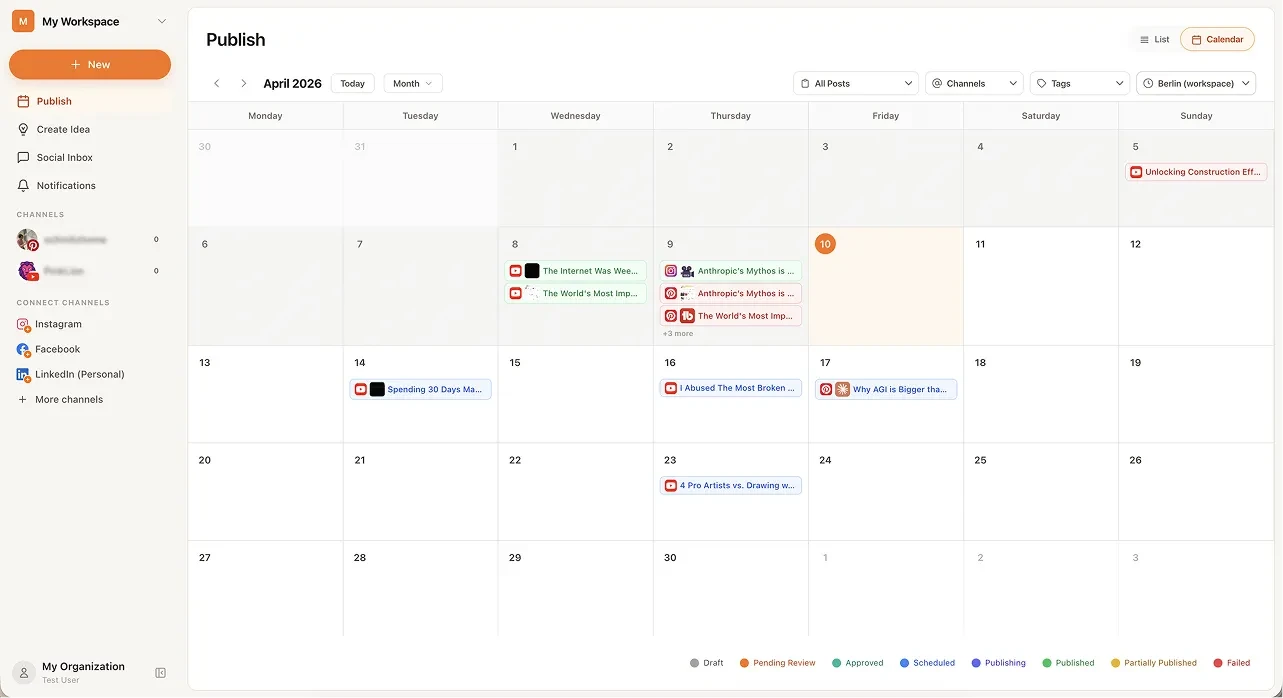 From the maker
BrightBean Studio
A self-hostable social publishing workspace with a calendar, platform-specific drafts and approval steps.
Claude Code · CodexTypefully Alternatives for Social Writing and Scheduling
Compare Typefully alternatives for social Writing and Scheduling. Check draft editing, channel support and scheduling.
Read moreMarketing and Social App Examples
Choose the step in your publishing or email workflow that needs a better tool.
Read moreHow vibeforthat Reviews Sources
Understand the difference between a discovery lead, a maker build record and an independently tested product.
Read more