
ALTERNATIVES
BrightBean Studio vs Hootsuite
Self-hosted drafts and publishing setup; platform credentials, format support and permissions still need configuration.
On this page
BrightBean Studio/ Hootsuite
01Self-hosted drafts and publishing setup; platform credentials, format support and permissions still need configuration.
02Take one campaign through writer, approver and publisher roles, and rebuild the report a client receives.
The shared task
Self-hosted drafts and publishing setup; platform credentials, format support and permissions still need configuration.
Inside BrightBean Studio
- Plan posts with a visual calendar, recurring slots and named queues.
- Write per-platform captions and media variants in the same composer.
- Use workspace roles, internal/client approvals and documented first-party publishing integrations.
Before relying on it
- Self-hosting requires application operations and your own platform developer credentials; some networks require app review.
- Publishing, comments, direct messages and analytics coverage differ by network; use the repository matrix.
- No connected-account publishing, approval delivery or historical analytics migration was tested here.
Run a small comparison
Take one campaign through writer, approver and publisher roles, and rebuild the report a client receives.
A few more details
Does BrightBean Studio replace the full Hootsuite suite?
Self-hosted drafts and publishing setup; platform credentials, format support and permissions still need configuration.
Sources & maker notes
Related guides & projects
View all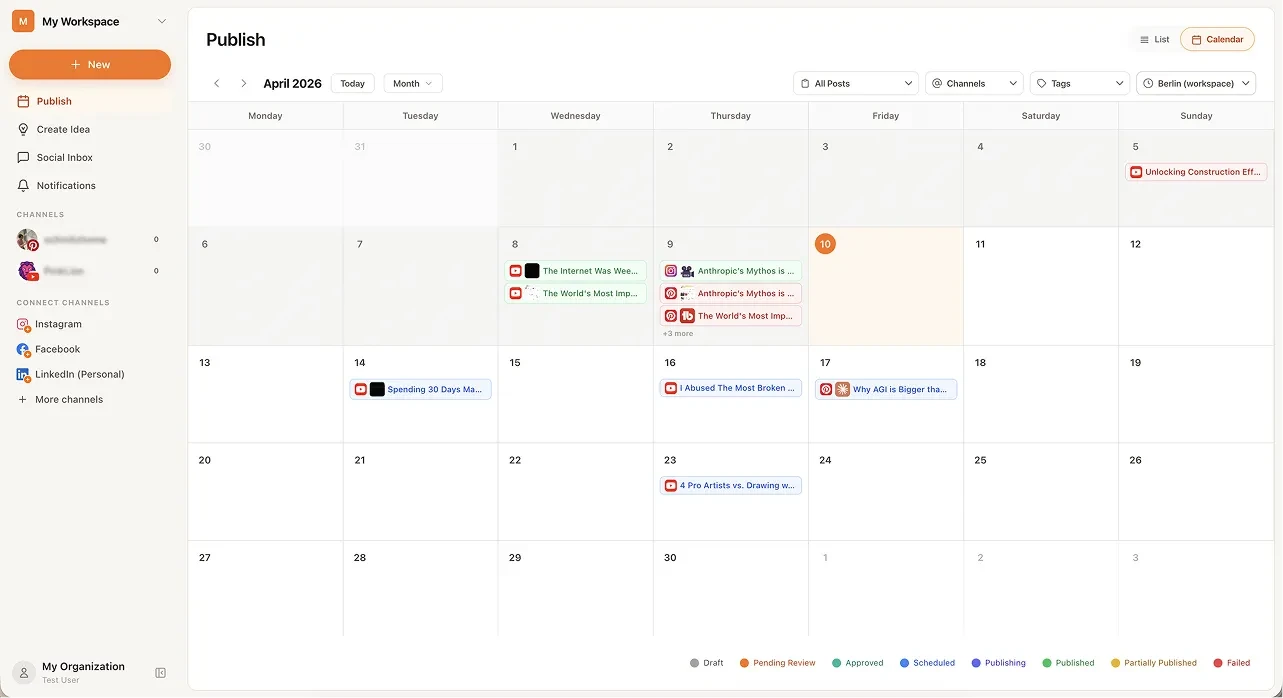 From the maker
BrightBean Studio
A self-hostable social publishing workspace with a calendar, platform-specific drafts and approval steps.
Claude Code · CodexHootsuite alternatives
Hootsuite is broader than a post scheduler. If the team uses an inbox, approvals or reporting, test those jobs independently. Buffer, Publer and SocialBee make useful publishing comparisons, but a cheaper scheduling interface does not establish equivalent listening or team governance.
Read moreMarketing and Social App Examples
Choose the step in your publishing or email workflow that needs a better tool.
Read moreHow vibeforthat Reviews Sources
Understand the difference between a discovery lead, a maker build record and an independently tested product.
Read more