
ALTERNATIVES
Wispr Flow Alternatives for Voice Dictation and Text Editing
Compare Wispr Flow alternatives for voice Dictation and Text Editing. Check device support, data processing and text cleanup.
On this page
The short version
| Option | Choose it for | Check first |
|---|---|---|
| MacParakeet · AI-built project | Local recognition, transcript history and optional cleanup | Apple Silicon; optional provider path; stable release gates |
| Superwhisper · established software | Vocabulary, modes and local or cloud model choices | Exact model, device and plan entitlement |
| Handy · established open-source software | Hotkey speech-to-text pasted into a text field | Current build for your platform and required permissions |
An AI-built option
1 projectEstablished options to compare

Superwhisper
Voice-to-text with custom vocabulary, modes and a choice of local or cloud models.
Compare the exact model and platform you will use. The publisher notes that local models perform best on Apple Silicon; plan access differs across models and features.
Visit official site
Handy
An open-source push-to-talk app that transcribes locally and pastes into a text field.
A focused choice for speech-to-text. Its official demonstration covers the hotkey and paste workflow, not every text-rewriting or meeting feature of a broader suite.
Visit official site MacParakeetWispr Flow
From speech to usable text
01Choose a supported device and build first.
02Local recognition and optional cleanup can take different paths.
03Use a personal sample instead of an invented accuracy score.
Try one workflow before switching
Dictate the same short message into the app you normally write in. Check where audio is processed, how corrections affect the text and what happens when the connection is unavailable.
Start with the device you dictate on
MacParakeet is documented for Apple Silicon Macs running macOS 14.2 or later. It is not a Windows or phone option. Superwhisper’s current site lists multiple platforms, but model and feature behavior still need a per-platform check. Choose a supported build before comparing cleanup styles.
Follow speech and text through the workflow
MacParakeet runs speech recognition locally. Optional cleanup, summaries or text transforms can use a separately configured provider, including a remote one. Handy describes local speech-to-text and paste. Superwhisper offers local and cloud model choices. Check the exact settings rather than treating a privacy label as a complete data-flow description.
Raw transcription and polished writing are different outputs
A short email with a name, punctuation and one correction makes a useful trial. Compare the raw transcript first, then enable cleanup and check what changed. This review provides no accuracy ranking, language benchmark or measured latency. The MacParakeet repository also separates stable features from development-only work.
Check the whole cost of a free option
MacParakeet and Handy are open-source options, but you still need suitable hardware, model downloads and system permissions. Optional remote providers can have their own usage charges. For Superwhisper, check the current model and feature tiers rather than assuming every mode belongs to the free plan.
How to use this comparison
Run the same small workflow in your shortlisted products: keep the input, output and required integration the same. The table records documented scope; it does not report a side-by-side product test.
A few more details
Does local recognition guarantee offline text cleanup?
No. Recognition and cleanup can use different providers. MacParakeet’s optional AI configuration can choose a remote provider, while Superwhisper also offers local and cloud model choices.
Was an audio sample tested?
No audio was recorded or uploaded, and no software was installed. The page compares documented scope and publisher screenshots.
Are all of these apps AI-built?
Only entries with an original maker record carry that attribution. Established products are listed separately and are not assigned an AI-build label.
Sources & maker notes
The AI-build attribution applies only to products with a linked maker record. Other options use the publisher’s current product documentation; prices and plans should be checked at the source.
Related guides & projects
View allBrowse AI Tools and Resources
Browse AI tools and development resources, then follow a focused guide when your next task needs more context.
Read moreSoftware Alternatives by Product
Start with a product you use and compare replacement workflows, supported tasks and what you would need to migrate.
Read moreDictation App Examples
Choose speech-to-text tools by your device, recognition path and the text you need to produce.
Read more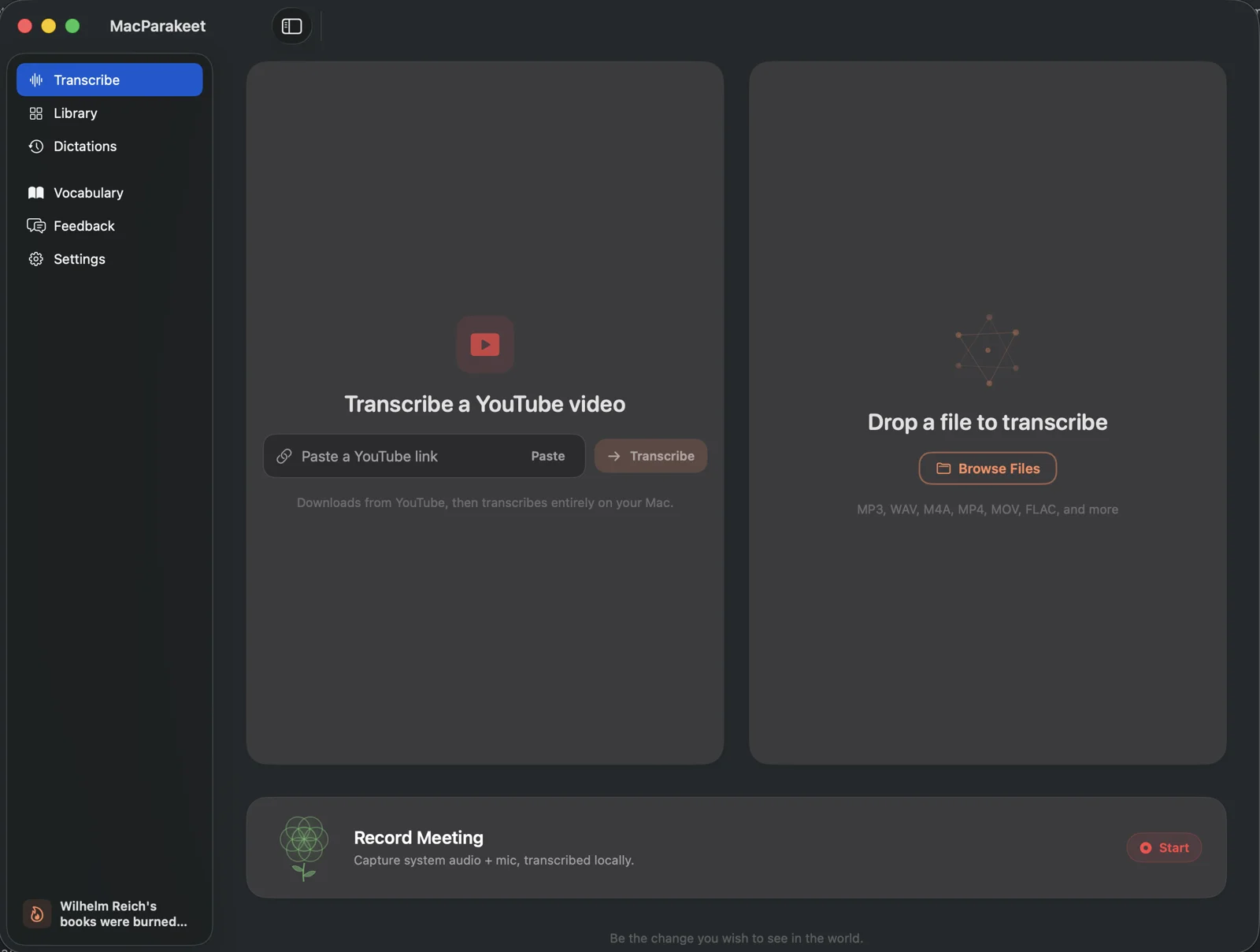 From the maker
MacParakeet
Local-first dictation, transcript review and meeting recording for Apple Silicon Macs, with optional text cleanup.
Claude Code · CodexMacParakeet vs Wispr Flow
Compare speech capture, recognition and text cleanup as three steps. MacParakeet is Apple Silicon software with local recognition; optional cleanup can use a remote provider.
Read moreHow vibeforthat Reviews Sources
Understand the difference between a discovery lead, a maker build record and an independently tested product.
Read more