What is Lovable Drafts?
Lovable Drafts let you copy a whole app, design to database, and test ideas in parallel with separate chat and preview while the live app stays untouched.
Updated ·
Lovable Drafts: Parallel App Copies With Isolated Chat and Preview
Announcement date:
Lovable Drafts are parallel copies of a Lovable app that let you and your team explore different ideas at the same time without touching the live app. Each draft carries its own chat and preview, comes filled with example data, and stays private to the draft until you accept it and hit publish.
What Are Lovable Drafts?
Drafts are a way to try different ideas in parallel and preview how they would really look before choosing a favorite, while the live app stays untouched. Instead of experimenting directly on the app your users see, you work on a full copy.
A draft is a complete copy of the app, from design to database, and you can make as many as you like. Because each draft has its own chat and preview, separate versions can be worked on and compared side by side.
- Parallel copies of the same app, created on demand
- Full copy from design to database
- Own chat and preview per draft
- Live app remains untouched while you experiment
How to Create a New Draft
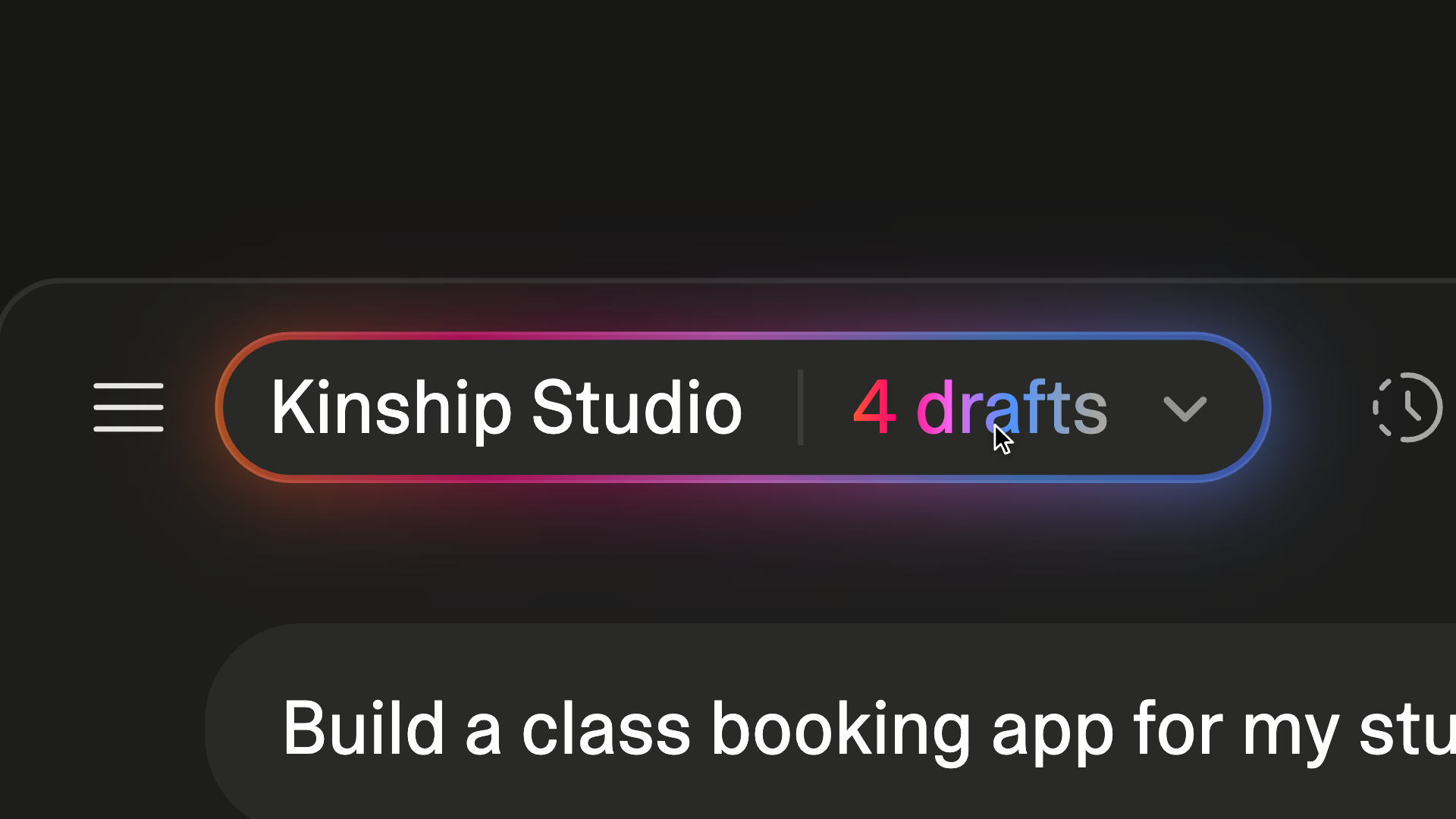
Creating a draft is a short, in-editor action. Open the project you want to branch, click its name at the top of the editor, and choose "New draft." Lovable then creates a complete copy of the app, from design to database.
You can repeat this as often as you like, so several ideas can exist at once. If you would rather not define each version yourself, you can also ask Lovable to spin up different versions and keep the ones you like.
- Open the project in the editor
- Click the project name at the top of the editor
- Hit "New draft" to create a full copy
- Repeat for each idea, or ask Lovable to generate versions
Isolated Chat, Preview, and Test Data
Each draft has its own chat and preview, so work on one version does not disturb another. That separation is what makes side-by-side comparison practical for a team.
Drafts also come filled with example data, so instead of an empty page you see the idea with realistic content such as a busy booking calendar, a full order history, or a long list of sign-ups. Any data you add while testing stays in the draft and is cleared when the draft is accepted or deleted, so it never lands next to real customer data.
- Separate chat and preview per draft
- Example data included so screens look realistic
- Test data stays inside the draft
- Test data is cleared on accept or delete
Review, Accept, and Publish
Nothing goes live until you accept a draft and hit publish. That gives you a review step: examine each draft and choose which changes to keep.
When changes need more confidence, they can be built and tested on a full copy of the app, including its own backend when needed, before being put in front of real customers. This is also how a teammate or client can make changes in their own draft without altering the existing app.
- Drafts stay offline until accepted and published
- Review each draft and pick the changes to keep
- Full copy can include its own backend when needed
- Teammates or clients can work in their own draft
Rollback and Cleanup
Before you accept a draft, the simplest path is to delete it. After you accept, you can still roll it back before publishing: open History, pick the version from before you accepted, and hit revert.
Together, deletion and History rollback mean an accepted draft is not a one-way door as long as you have not published yet.
- Delete a draft before accepting it
- After accepting, open History to roll back
- Choose the version from before the accept
- Hit revert to undo the accepted change
Pricing and Availability Status
The source material describes Drafts as a Lovable capability available to users and teams, but it does not state separate pricing, plan eligibility, or regional availability for drafts. Treat those details as unknown here and confirm them in your Lovable account or official documentation before relying on them.
- No separate draft pricing stated in the source
- Plan eligibility not specified
- Check your account or official docs for current availability
Questions
What are Lovable Drafts and how do they keep the live app untouched?
Drafts are full copies of your app, from design to database, that you can create as often as you like. Each has its own chat and preview, and nothing goes live until you accept a draft and hit publish, so the live app is not modified while you experiment.
How do I create a new draft in Lovable?
Open a project, click its name at the top of the editor, and hit "New draft." Lovable creates a complete copy of the app, from design to database. You can also ask Lovable to spin up different versions and keep the ones you like.
What happens to test data added inside a draft?
Data you add while testing stays in the draft and is cleared when the draft is accepted or deleted, so it never lands next to real customer data. Drafts also start with example data so screens look realistic rather than empty.
Can I roll back a draft after accepting it but before publishing?
Yes. Before accepting, you can simply delete the draft. After accepting, you can still roll it back before publishing by opening History, picking the version from before you accepted, and hitting revert.
Original sources
Tool Info
Has this tool changed? Help us keep it up to date
Lovable Drafts Reviews
Loading reviews…